Sales reps are often the most expensive people doing the least valuable work in their organizations. Not because they are ineffective—because 25-35% of their time goes to admin: logging calls, updating deal stages, writing follow-up emails, researching prospects, entering data. Work that is necessary but does not require sales skill.
AI CRM automation transfers that work from sales reps to automated workflows. The result is not just time saved—it is better CRM data (because the system captures it automatically rather than relying on manual entry), faster follow-up (because emails draft themselves), and more consistent lead handling (because the AI applies your criteria without variation).
This post covers five specific workflows that eliminate the highest-volume manual sales admin tasks.
Note on CRM compatibility: Examples below reference HubSpot and n8n but the patterns apply to Salesforce, Pipedrive, Zoho, and Close via their respective APIs. The logic is universal; only the API calls differ.
The Admin Tax on Your Sales Team
Before the workflows: a quick benchmark to understand the problem size.
Research on CRM usage consistently finds that sales professionals spend 20-35% of their working hours on administrative tasks: data entry, note-taking, email composition, internal reporting, and CRM maintenance. For a sales rep earning $80,000 per year, that is $16,000-28,000 worth of time annually spent on work that AI can now handle for a few dollars per month.
The five workflows below target the highest-volume of these tasks.
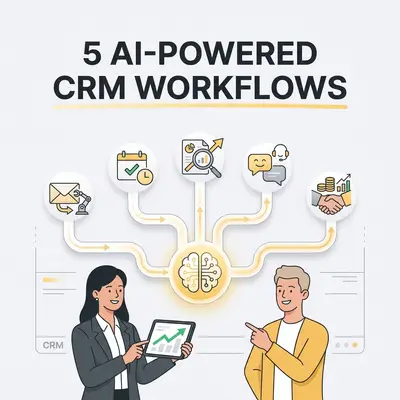
The 5 Workflows
1. Automatic Contact and Company Enrichment From New Leads
The problem: Every new lead in your CRM is incomplete. You have an email address, maybe a name, and a company. To score, route, and personalize outreach for that lead, you need: company size, industry, funding stage, tech stack, LinkedIn profile, company description, and the contact's role and seniority. Sales reps either research this manually (slow) or skip it (bad data).
The workflow:
- Trigger: New contact is created in HubSpot (from form submission, import, or manual entry)
- n8n calls an enrichment API (Apollo.io, Clearbit, or Hunter) with the email domain
- Enrichment data returns: company industry, employee count, revenue range, tech stack, contact's LinkedIn profile, title, seniority level
- n8n maps the enriched data to HubSpot contact and company fields and updates the record
- A lead score is calculated based on enriched ICP criteria and written to the lead score field
- If the lead score exceeds your qualification threshold, the lead is assigned to a sales rep and a task is created
Result: Every new lead arrives in your CRM fully enriched and scored within 60 seconds of creation, without any rep involvement.
Tools: n8n (workflow), Apollo.io or Clearbit (enrichment), HubSpot API (CRM update). Apollo.io offers generous free tier API access for enrichment.
Estimated time saved: 5-15 minutes of manual research per lead, depending on how thoroughly your reps currently research new contacts.
For more on lead qualification automation, see What Is AI Lead Qualification Guide.
2. AI-Generated Follow-Up Emails From Meeting Transcripts
The problem: After every sales call, someone needs to write a follow-up email: summarizing what was discussed, confirming next steps, and maintaining the relationship tone that was established on the call. It is one of the highest-value tasks in the sales process and one of the most frequently delayed or done badly due to time pressure.
The workflow:
- Trigger: Meeting transcription completed in Fathom or Fireflies.ai (webhook fires on completion)
- n8n receives the transcript and action items from the meeting tool
- Claude generates a follow-up email with:
- Personalized opening referencing something specific from the call
- Summary of the two or three key points discussed
- Confirmed next steps with dates if agreed
- Clear call to action for the next interaction
- The drafted email is pushed to the HubSpot deal as an email draft associated with the contact
- The rep receives a Slack notification with a link to review and send the draft
The rep's role: Review the draft, adjust tone or add any context the AI missed, and send. Total time: 2-3 minutes versus 10-15 minutes to write from scratch.
Prompt structure for best results:
You are drafting a follow-up email after a sales discovery call.
Context:
- Meeting transcript: [transcript]
- Action items identified: [action items]
- Our product: [brief product description]
- Communication style: professional but conversational, avoid jargon

Write a follow-up email that:
1. Opens with a specific reference to something discussed that matters to the prospect
2. Summarizes the 2-3 most important things we aligned on
3. Confirms the specific next steps with any dates mentioned
4. Closes with a clear, low-friction next action

Keep it under 200 words. Do not use filler phrases like "Hope this email finds you well."
3. Automated Deal Stage Progression and Activity Logging
The problem: CRM data quality degrades because reps forget to update deal stages, log calls, and record activity. When a deal goes quiet, nobody is sure if the rep is working it or if it has silently stalled. Leadership lacks reliable pipeline data for forecasting.
The workflow:
- Trigger: Inbound email received from a contact who is associated with an open deal in HubSpot
- n8n retrieves the email body and the associated deal record
- Claude analyzes the email and classifies the conversation state: is this a buying signal, a stall, a request for information, a negative response, or neutral?
- Based on classification:
- Buying signal → move deal to next stage, create a follow-up task for the rep within 24 hours
- Request for information → create a task for the rep to respond within same day
- Stall signal → flag the deal for pipeline review, alert the rep's manager
- Neutral → log the email as activity, no stage change
- A note is automatically added to the deal summarizing the email's content and the action taken
Result: The CRM self-updates based on email activity. Pipeline stage accuracy improves. Stalled deals surface automatically instead of hiding until a pipeline review.
Extension: Apply the same logic to call transcripts from your meeting tool. After each call, Claude classifies the deal health, suggests a stage update, and creates the appropriate follow-up tasks.
4. AI-Powered Lead Routing Based on ICP Fit
The problem: Not all leads should go to the same rep. Enterprise leads need different handling than SMB leads. Leads from specific industries may need reps with relevant expertise. Inbound leads from high-priority accounts should be handled immediately; low-priority leads can wait. Manual routing creates inconsistency and delays.
The workflow:
- Trigger: New lead form submission (website, event, or import)
- Enrichment step: Pull company data as in Workflow 1
- Claude or a classification model scores the lead on three dimensions: company size fit, industry fit, and pain point relevance (based on the form submission text)
- Based on the combined score and routing rules:
- Enterprise / high ICP fit → assigned to senior enterprise rep, priority queue, immediate Slack alert
- Mid-market / medium fit → assigned to mid-market rep, standard queue
- SMB / lower fit → enrolled in automated nurture sequence, no rep assignment until qualification
- Competitor research / student / other non-buyer → logged and tagged, no rep assignment
- Assignment notification sent to the assigned rep with the enrichment summary and lead context
Key design principle: Build the routing rules from your actual historical data. Look at your last 100 won deals and identify the patterns—company size, industry, lead source, role—that predict a closed deal. Those are your ICP criteria for routing.
For more on building qualification-based routing logic, see AI Sales Automation for Small Businesses.
5. CRM Data Hygiene Automation
The problem: CRM data deteriorates over time. Contacts change jobs. Companies get acquired. Email addresses bounce. Duplicate records accumulate. Fields are left empty or filled inconsistently. By the time someone notices the data quality problem, fixing it is a multi-week project.
The workflow (monthly cadence):
- Export all CRM contacts and companies to a structured format
- Claude reviews the data and flags:
- Contacts with job titles that suggest they have likely moved on (entry-level roles at the same company for 3+ years)
- Companies with missing key fields (no industry, no employee count, no website)
- Likely duplicate records based on similar names, same company domain, or similar email patterns
- Deal records that have not been updated in 30+ days (potential stalled pipeline)
- A hygiene report is generated summarizing the issues found
- High-confidence duplicates are merged automatically; edge cases are flagged for human review
- Missing data triggers re-enrichment attempts via Apollo or Clearbit
Additional automated hygiene: Set up a trigger that fires when a contact's email bounces. Automatically flag the record for verification, mark the email as invalid, and create a task for the rep to find an updated contact.
Why this matters: Bad CRM data is not just an admin problem. It corrupts your reporting, makes AI lead scoring less accurate, causes personalized outreach to reference outdated information, and erodes the rep's trust in the CRM—which leads to even less data entry.
Measuring the Impact
Track these metrics before and after implementing CRM automation:
| Metric | What It Tells You |
|---|---|
| CRM data completeness rate | Are key fields getting filled? |
| Average time to first response | Is outreach speed improving? |
| Deal stage update lag | Are stages kept current? |
| Rep self-reported admin time | Are reps spending less time on manual work? |
| Pipeline forecast accuracy | Is CRM data more reliable for forecasting? |
Most teams see meaningful improvement in CRM data completeness (typically 15-30% more fields completed) and rep-reported admin time within 60 days of implementing these workflows.
The Boundary: What AI Should Not Do in CRM
As much as AI accelerates sales admin, some things should stay human:
- Relationship strategy decisions: Whether to re-engage a stalled deal, how to handle a difficult prospect, when to escalate—these require judgment, not pattern matching.
- Price negotiation and commercial decisions: AI can surface relevant historical deal data, but the negotiation itself should be human.
- First outreach to cold prospects: AI-generated cold emails tend to read as AI-generated, which hurts rather than helps conversion. Human-written initial outreach with AI assistance for research is a better pattern.
- Customer relationship management (the actual relationship): AI manages data about the relationship. Humans have the relationship.
The goal is a sales rep who spends 80% of their time on customer-facing activities and 20% on review and strategy—rather than the reverse.
Ready to build AI CRM automation for your sales team? Book a strategy call at evalics.com/contact to identify which of these workflows fits your current CRM setup and sales process.