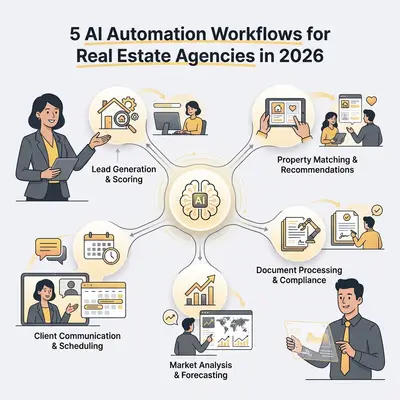
Real estate is a relationship business—but a significant portion of agents' time is not spent on relationships. It is spent on admin: writing the same listing description format for the fifteenth time this month, manually sending follow-up emails to inquiries from three days ago, updating the CRM after every call, and generating market reports that follow the same template every time.
AI automation handles these repetitive tasks faster and more consistently than manual work, freeing agents to spend more time on what actually moves transactions: calls, showings, negotiations, and relationships.
Here are five workflow automations specifically designed for real estate agencies, with realistic implementation notes for each.
Before the Workflows: Two Things to Get Right
1. Your data must be structured. AI automation pulls from your existing data—CRM records, listing databases, inquiry forms, call notes. If your data is scattered across emails, sticky notes, and different agents' personal spreadsheets, automation will reflect that chaos. A clean CRM with consistent data entry is a prerequisite, not an outcome.
2. Compliance review matters. Real estate is regulated. Fair Housing laws require that your automated lead handling cannot discriminate based on protected characteristics. Any automated content that goes to clients or prospects must be reviewed by a licensed agent. Build human review into every workflow that touches external communication.
The 5 Workflows
1. Property Listing Generation From Specs and Photos
The problem: Writing a compelling property listing takes 20-45 minutes per property for an experienced agent: describing the layout, highlighting unique features, writing the marketing narrative, and ensuring the description is optimized for both search and emotional appeal. Agents with high listing volume spend hours per week on this.
The workflow:
- Trigger: An agent fills out a structured listing intake form (Google Form or Typeform) capturing: address, property type, square footage, bedrooms/bathrooms, key features (fireplace, pool, renovated kitchen, etc.), notable nearby amenities, asking price range, and intended buyer persona (first-time buyer, move-up buyer, investor, luxury buyer)
- Optional: The agent also uploads 3-5 representative photos
- n8n sends the form data (and photos if provided) to Claude with a prompt that includes your agency's tone guidelines and example listings for reference
- Claude generates: a primary listing description (150-300 words), a shorter social media version (2-3 sentences + emojis for Instagram/Facebook), an email subject line and preview text for email marketing, and 5 key feature bullets for listing portals
- The generated content is added to a Google Doc under a folder named after the property address and a Slack notification is sent to the agent with the link
- Agent reviews, refines (typically 5-10 minutes), and copies the finalized content to the MLS and marketing channels
What to include in the prompt for best results: Example listings that represent your agency's voice, instructions to avoid clichés ("rare opportunity," "motivated seller," "priced to sell"), and specific guidance on which features to lead with for each buyer persona type.
Time saved: 15-35 minutes per listing. For an agency adding 8-15 listings per month, that is 2-8 hours/month returned to agents.
2. Instant Lead Response and Qualification
The problem: Speed-to-lead is one of the most studied metrics in real estate. Research from the Real Estate industry consistently shows that leads contacted within 5 minutes are dramatically more likely to convert than leads contacted after 30+ minutes. Most agencies fail this benchmark because agents are showing properties, in meetings, or simply miss the notification.
The workflow:
- Trigger: A new inquiry arrives—via website contact form, Zillow/Rightmove/portal lead (forwarded to a monitored inbox), or direct email to a general inquiry address
- n8n detects the inquiry and immediately sends an automated response via Claude that:
- Acknowledges the inquiry and thanks the prospect by name
- Confirms the specific property or criteria they asked about
- Provides the requested information (floor plan PDF, virtual tour link) if available
- Asks 2-3 qualifying questions: timeline for moving, are they pre-approved or working with a mortgage advisor, and what is most important to them in their next home
- Offers a link to book a call or showing directly on the agent's calendar (Calendly integration)
- The inquiry is logged in the CRM with the prospect's details, the property they asked about, and a task created for the agent to follow up personally within 24 hours
- If the inquiry contains signals of high urgency ("moving in 60 days," "offer deadline"), a Slack notification is sent immediately to the assigned agent
The auto-response makes clear that a human agent will follow up. This is both honest and appropriate—the AI response handles the speed-to-lead requirement, and the agent follows up once they are available.
What the workflow does not do: Negotiate, answer detailed pricing questions, or handle prospects who are upset or have complaints. Any response that falls into these categories is flagged for immediate human attention.
Compliance note: Ensure your auto-response emails are compliant with your jurisdiction's requirements for electronic communication disclosures.
For more on automated lead qualification, see What Is AI Lead Qualification Guide.
3. Post-Showing and Post-Offer Follow-Up Sequences
The problem: After a showing, most agents intend to follow up with a personalized note within 24 hours. In practice, when an agent runs 6-8 showings in a day, those follow-ups get delayed or forgotten. After an offer is submitted (whether accepted or rejected), the follow-up communication that maintains the relationship often falls through the cracks.
The workflow:
- Trigger: An agent logs a showing completion in the CRM (a single CRM field update or a check-in via a simple form)
- n8n pulls the showing details: prospect name, property address, showing date and time
- Claude generates a personalized post-showing follow-up email: "Hi [Name], great meeting you today at [address]..." with a reference to a specific feature the agent can add (prompt asks the agent to note 1-2 observations to personalize)
- The email is placed in a draft in the agent's email client (via Gmail API), ready to review and send. The agent opens the draft, reads it, and sends with minimal editing.
- If no response from the prospect after 72 hours, a second automated follow-up goes out: "Wanted to check in—did you have any thoughts on [address]?"
- If an offer is submitted: a separate follow-up sequence begins, either a "thank you and next steps" email (offer accepted) or a "let's find you the right property" re-engagement email (offer not accepted)
Agent involvement: Review and send each email (2-3 minutes per follow-up). The automation creates the drafts; the agent maintains control of sending.
Why drafts rather than auto-send: Real estate communication is high-stakes and relationship-dependent. Auto-sending follow-up emails without agent review risks sending something that mismatches the agent's read of the relationship. Drafts give agents the speed of AI generation with the quality control of human review.
4. Market Report Generation for Seller Prospecting
The problem: Generating a personalized market report for a prospective seller—showing current comparable sales, days-on-market trends, price-per-square-foot data for their neighborhood—requires pulling data from MLS, formatting it for presentation, and writing a narrative. Done manually: 45-90 minutes per report.
The workflow:
- Trigger: An agent enters a prospective seller's address and property details into a form
- n8n calls your MLS data source (this varies by market—some have APIs, others require a scraping step from a portal you have access to) and retrieves: last 6 months of comparable sales within 0.5 miles, current active listings in the same price range, average days-on-market for the area, and price reductions in the last 90 days
- The data is sent to Claude, which generates: a narrative market summary (current conditions, whether favoring buyers or sellers), a comparable sales section presenting 3-5 specific comps with key details, an estimated value range for the prospect's property based on the comps, and a recommendation section presenting the case for listing now vs. waiting
- The report is formatted as a PDF (using a PDF generation service or Google Docs template) with the agency's branding
- The agent receives the report and can send it to the prospect as a pre-listing consultation resource
What the workflow cannot include: Your actual pricing recommendation (that requires agent judgment and in-person property assessment) and any claims that constitute formal appraisal.
Impact: A personalized market report is one of the most effective seller lead conversion tools in real estate. Agencies that can produce them quickly and consistently for every prospective seller have a meaningful competitive advantage over those who only produce reports for serious listings.
5. Rental Inquiry Filtering and Tenant Pre-Qualification
The problem: Rental properties attract high inquiry volume, much of which is from unqualified prospects (budget too low, move-in date mismatch, pet policy conflicts). Responding to every inquiry manually before filtering for fit wastes significant agent or property manager time.
The workflow:
- Trigger: A new rental inquiry arrives via web form or portal
- n8n sends an automated acknowledgment that includes a short pre-qualification questionnaire:
- Desired move-in date
- Number of occupants
- Monthly gross income (for affordability screening)
- Pets (type and number)
- Whether they have been evicted in the last 5 years
- Length of lease preferred
- When the questionnaire is completed, Claude reviews the responses against the property's requirements and scores the inquiry: Proceed (meets all requirements), Review (meets most requirements, one issue to discuss), or No Fit (clear disqualifier present)
- "Proceed" inquiries receive a showing scheduling link automatically. "Review" inquiries are forwarded to the property manager with the questionnaire responses highlighted. "No Fit" inquiries receive a polite response explaining the property does not match their requirements.
- All inquiries and their qualification status are logged to the CRM
Compliance critical note: Pre-qualification questions and screening criteria must comply with Fair Housing law. Questions about income, move-in date, and lease terms are appropriate. Questions that could be used to discriminate based on protected characteristics are not. Do not include questions about national origin, religion, family status (other than occupant count as permitted by your local law), or disability. Have your compliance officer or attorney review the questionnaire before deployment.
Time saved: For a property attracting 30-50 inquiries per rental, filtering down to the 5-10 qualified prospects automatically saves 3-6 hours of manual screening per rental cycle.
Building the Stack for a Small Agency
For a small real estate agency (1-10 agents), the recommended starting stack:
| Component | Tool | Monthly Cost |
|---|---|---|
| Workflow automation | n8n Cloud (Starter) | $20 |
| AI model | Claude API (Sonnet) | $30-80 based on volume |
| CRM | Follow Up Boss or HubSpot Free | $0-69 |
| Email integration | Gmail API | Free |
| Calendar scheduling | Calendly | $8-16/user |
| PDF generation | Google Docs templates | Free |
Total monthly platform costs for a 3-agent agency: approximately $75-200/month, depending on inquiry volume and CRM plan.
Start with workflows 1 and 2 (listing generation and lead response)—these have the fastest ROI and lowest implementation complexity. Add workflows 3-5 as the team becomes comfortable with the automation layer.
Ready to automate your agency's workflows? Book a strategy call at evalics.com/contact to get a workflow plan tailored to your agency's size, CRM, and market.