How to Automate Client Onboarding: 5 Steps to Save Time
Manual onboarding bottlenecks kill your growth. Streamline your client integration with these 5 proven automation steps to save time and scale your business.
Client onboarding is the systematic process of integrating a new client into your business ecosystem, covering everything from contract signing to the first project deliverable. For small businesses, this phase is the biggest bottleneck because it relies on manual data entry, repetitive email drafting, and fragmented communication. Automating this bridge ensures consistency, reduces human error, and allows you to scale without adding headcount.
Manual data entry is often the primary source of onboarding delays, and every delay lands in front of a client who is forming their first impression of you. Standardizing the experience sets clear expectations from the very first interaction.
How Do You Automate Your Client Onboarding in 5 Steps?
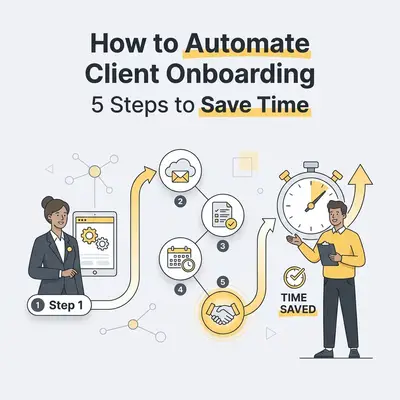
Automating your onboarding requires a structured approach that connects your sales CRM to your project management and communication tools. By following these five steps, you create a "set-it-and-forget-it" workflow that triggers the moment a deal is marked as "Closed-Won" in your system.
Trigger the Workflow: Use your CRM to detect a closed deal and automatically initiate the onboarding sequence.
Automate Document Signing: Send contracts and NDAs via e-signature tools that auto-populate client data.
Collect Client Information: Deploy automated intake forms to gather project requirements and assets.
Provision Project Spaces: Automatically create folders in cloud storage and tasks in your project management software.
Send the Welcome Sequence: Trigger a personalized email series that sets expectations and provides access to resources.
Quick Win: Use a tool like Zapier or Make to connect your CRM (like Pipedrive or HubSpot) directly to your project management tool (like Asana or ClickUp). This eliminates the need to manually copy-paste client details into new project boards.
How Do You Choose the Right Automation Tools for Your Business?
Selecting the right tools depends on your current tech stack and the complexity of your service delivery. You should prioritize platforms that offer native integrations or support middleware, ensuring that your CRM, e-signature platform, and project management software can "talk" to each other without manual intervention.
Tool Category
Examples
Primary Function
CRM
HubSpot, Pipedrive
Tracks deal status and triggers workflows
E-Signature
DocuSign, PandaDoc
Automates contract generation and signing
Intake Forms
Typeform, Tally
Collects client data and project assets
Middleware
Zapier, Make
Connects all apps to trigger actions
Project Management
Asana, ClickUp
Organizes tasks and project timelines
Pro Tip: If you are just starting, focus on connecting your CRM to your email provider first. Once that is stable, add e-signature and project management integrations to complete the loop.
What Are the Most Common Pitfalls to Avoid During Automation?
The most common mistake is over-automating before standardizing your manual process, which leads to "automated chaos." If your manual process is messy, your automation will simply make that mess happen faster. You must document your current steps clearly before you attempt to build a digital workflow.
Other pitfalls include failing to personalize automated emails, neglecting to test the workflow with a dummy client, and forgetting to build in manual "human-in-the-loop" checkpoints. Automation should handle the administrative heavy lifting, but high-touch client interactions—like a kickoff call or a complex strategy session—still require your personal attention.
How Can You Maintain a Personal Touch While Using Automation?
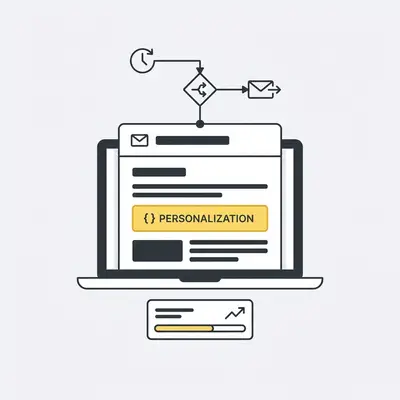
Automation handles the administrative heavy lifting, but it should never replace your relationship with the client. You maintain a personal touch by using dynamic fields to insert client names and specific project details into emails. You can also use automation to schedule a "welcome call" via a calendar link.
Reality Check: Automation is not about removing yourself from the process. It is about removing the friction that prevents you from focusing on the client. Use the time you save to send a personalized video message or a handwritten note to your new client.
How Do You Measure the Success of Your New Onboarding Workflow?
Success is measured by tracking the reduction in "Time-to-Value," which is the duration between contract signing and the first project milestone. You should also monitor the decrease in administrative hours spent per client and track client satisfaction scores (CSAT) to ensure that your new automated process is actually improving the experience.
Key Insight: If your Time-to-Value drops, you are delivering results faster. This creates a positive feedback loop where clients are happier, and you have more capacity to take on new business without increasing your workload.
Pro Tip: Need help choosing the right stack? Evalics offers a free automation audit to help you identify the best tools for your specific business model.
zapier-workflow)
Ready to automate your business?
Book a free consultation and discover how AI automation can save you hours every week.
Frequently Asked Questions
Client onboarding automation uses software to handle repetitive tasks like sending contracts, scheduling meetings, and collecting data without manual intervention.
Start by mapping your current manual steps, then use tools like Zapier or CRM workflows to trigger automated emails, document signing, and project setup.
Yes, AI can personalize welcome messages, categorize client data, and answer common questions instantly, ensuring a professional and consistent experience for every new client.
Automation reduces human error, eliminates administrative bottlenecks, and allows your team to focus on high-value project work instead of repetitive data entry.
![_ [GRAPH] Column chart. Manual Onboarding - 12 Hours/Week. Automated Onboarding - 2 Hours/Week. Chart title: Weekly Administrative Time Spent at top. Alt text: Column chart showing a 10-hour reduction in weekly administrative time after implementing automated onboarding workflows](/blogs/automate_client_onboarding/-graph-column-chart-manual-onboarding-12-hoursweek-400w.webp)