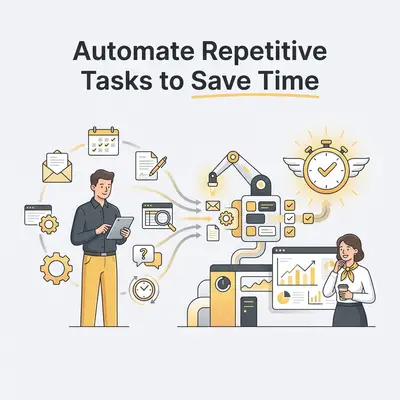
Automation is the practice of using software to perform repetitive, rule-based tasks without human intervention. For small business owners, it acts as a force multiplier. Every rule-based task you hand to software is a task that no longer competes for the attention of the two or three people who actually run the business.
Why Should Small Business Owners Prioritize Automation?
Automation allows you to reclaim hours of manual labor by delegating repetitive tasks to software. By implementing AI-driven workflows, you reduce human error and lower operational costs. This shift allows your team to focus on high-value creative and strategic work that actually grows the business rather than just maintaining it.
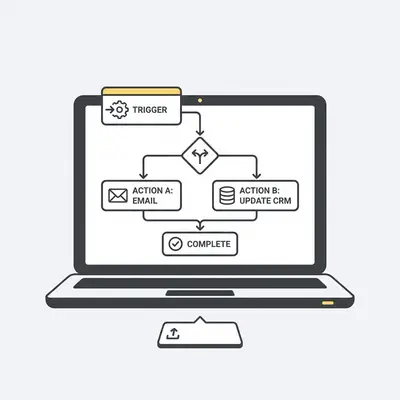
How Can You Automate Lead Data Entry?
Automating lead data entry involves using AI tools to capture contact information from emails, web forms, or social media and syncing it directly into your CRM. This eliminates manual typing, ensures no lead is forgotten, and allows your sales team to follow up instantly rather than waiting for manual input.
Quick Win: Use tools like Make or Zapier to connect your website contact form directly to your CRM. This ensures a lead is added to your pipeline within seconds of hitting "submit."
Which Tools Best Handle Customer Support Inquiries?
AI-powered chatbots and automated ticketing systems handle routine customer queries by providing instant, 24/7 responses based on your knowledge base. While pros include immediate resolution and reduced support costs, a potential con is the loss of a "human touch" for complex, emotionally charged customer issues.
| Feature | AI Chatbot | Human Support |
|---|---|---|
| Response Time | Instant | Minutes to Hours |
| Availability | 24/7 | Business Hours |
| Cost | Low (Fixed) | High (Hourly) |
| Empathy | Low | High |
How Does Automated Invoicing Improve Cash Flow?
Automated invoicing systems trigger payment requests the moment a project is completed or a product is shipped, significantly reducing the time between delivery and payment. The primary benefit is improved cash flow and fewer late payments, though you must ensure your accounting software is correctly integrated with your project management tools.
Can You Automate Social Media Scheduling and Engagement?
Social media automation tools allow you to batch-create and schedule content across multiple platforms weeks in advance while using AI to monitor brand mentions. This saves hours of daily manual posting, though it requires careful oversight to ensure your brand voice remains authentic and responsive to current events.
Pro Tip: Use AI tools like Buffer or Metricool to schedule posts, but set a calendar reminder to check your comments daily. Automation handles the distribution, but you must handle the community building.
How Does Automated Email Marketing Drive Sales?
Automated email sequences nurture leads by sending personalized content based on user behavior, such as abandoned carts or website visits. This creates a consistent sales funnel without manual intervention, though the main challenge is maintaining high-quality, relevant content that doesn't feel like generic spam to your subscribers.
Why Should You Automate Appointment Scheduling?
Automated scheduling tools sync with your calendar to allow clients to book meetings based on your real-time availability, eliminating the "back-and-forth" email chain. This provides a seamless professional experience for clients, though it requires strict calendar management to avoid double-bookings or lack of preparation time.
![_ [GRAPH] Column chart. Manual Scheduling - 45 Minutes/Week. Automated Scheduling - 5 Minutes/Week. Chart title: Weekly Time Spent on Scheduling at top. Alt text: Column chart showing time savings from automated scheduling: 45 minutes before vs 5 minutes after](/blogs/automate_repetitive_tasks/-graph-column-chart-manual-scheduling-45-minuteswe-400w.webp)
How Can You Automate Internal Reporting and Analytics?
Automated reporting tools pull data from your various business platforms to generate daily, weekly, or monthly performance dashboards automatically. This provides instant visibility into your KPIs, though it requires an initial setup phase to ensure the data sources are clean and the metrics being tracked are actually relevant to your goals.
Reality Check: Automation is not a "set it and forget it" solution. You must audit your data sources monthly to ensure your reports remain accurate as your business processes evolve.
Next Steps for Your Business
Start by auditing your current workflow. Identify one task that takes more than 30 minutes daily and involves moving data between two apps. Once you automate that single process, you will see the immediate impact on your team's capacity. If you need help identifying which tasks are draining your productivity, book a free automation audit with Evalics today.