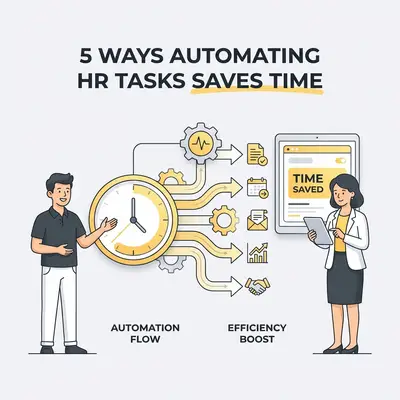
HR automation is the use of software and artificial intelligence to handle repetitive personnel tasks like payroll, onboarding, and record-keeping. By replacing manual data entry with automated workflows, small business owners reclaim hours of lost productivity. This shift reduces human error, ensures legal compliance, and allows your team to focus on growth rather than paperwork.
Why Should Small Businesses Prioritize HR Automation?
Small business owners often lose 20% of their work week to administrative tasks. HR automation solves this by using AI to manage data entry, compliance, and scheduling. By removing manual bottlenecks, you reduce errors and ensure consistent policy application. This allows your team to focus on high-value activities instead of filing documents.
How Does Automated Onboarding Improve New Hire Retention?
Automated onboarding streamlines the transition from an offer letter to a fully integrated team member by triggering digital document signing and system access. This eliminates the "first-day chaos" of manual paperwork. When new hires experience a smooth, professional start, their engagement levels rise, leading to higher long-term retention rates.
- Reducing Administrative Friction: Automation sends tax forms and handbooks to new hires before they start. This removes the need for physical meetings to sign documents.
- Standardizing the Employee Experience: Every new hire receives the same high-quality welcome sequence. This consistency builds trust and sets clear expectations from day one.
![_ [GRAPH] Column chart. Manual Onboarding - 15 Hours. Automated Onboarding - 2 Hours. Chart title: Time Spent per New Hire at top. Alt text: Column chart showing a reduction from 15 hours to 2 hours per new hire after implementing automation](/blogs/benefits_automating_tasks/-graph-column-chart-manual-onboarding-15-hours-aut-400w.webp)
How Can AI Simplify Payroll and Benefits Administration?
AI-driven payroll systems automatically calculate taxes, deductions, and benefits contributions to ensure 100% accuracy. By syncing time-tracking data directly with payroll software, you eliminate manual data entry. This prevents costly calculation errors and reduces the time spent on pay-period processing from hours to minutes.
- Eliminating Manual Data Entry Errors: AI tools pull data directly from time clocks, removing the risk of typos or miscalculations.
- Ensuring Real-Time Compliance: Systems update automatically when labor laws change, keeping your business compliant without manual research.
Key Insight: Small businesses spend an average of 5-10 hours per week on manual payroll tasks. Automation can reduce this to under 30 minutes.
Why Is Automated Time and Attendance Tracking Essential?
Automated time tracking provides a centralized, tamper-proof record of employee hours, breaks, and overtime. These systems use AI to flag potential scheduling conflicts or overtime violations before they occur. This gives owners proactive control over labor costs and ensures you remain compliant with local labor regulations during audits.
- Proactive Labor Cost Management: Real-time alerts notify you if an employee approaches overtime, allowing you to adjust schedules immediately.
- Simplifying Compliance Audits: Digital logs provide an accurate, time-stamped history that is ready for inspection at any moment.
How Does Automated Performance Management Drive Growth?
Automated performance management tools facilitate continuous feedback loops and automated review scheduling. Instead of stressful annual reviews, these systems keep performance data organized and accessible throughout the year. This helps owners identify top talent, address skill gaps early, and align individual contributions with broader company objectives.
- Moving from Annual to Continuous Feedback: Automated prompts encourage managers to provide regular check-ins, which improves employee morale and performance.
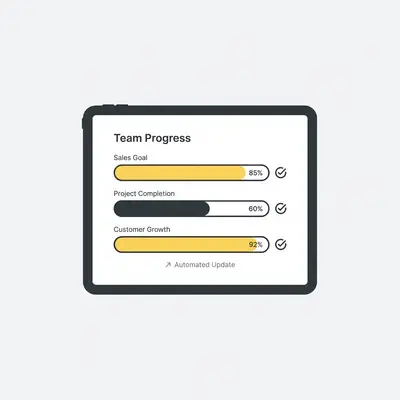
- Aligning Goals with Business Strategy: Dashboards track individual progress against company KPIs, ensuring everyone works toward the same growth targets.
How Does Self-Service Portals Empower Your Employees?
Self-service portals allow employees to manage their own personal information, request time off, and access pay stubs independently. This decentralization of information reduces the volume of routine inquiries sent to the owner. It fosters a culture of autonomy while significantly lowering the administrative burden on your management team.
- Reducing HR Inquiry Volume: Employees find answers to common questions in the portal, saving you from constant email interruptions.
- Increasing Employee Autonomy: Giving staff control over their own data builds trust and improves the overall employee experience.
Pro Tip: Integrate your self-service portal with your internal communication tool like Slack or Microsoft Teams to make time-off requests even faster.
How to Choose the Right HR Automation Tools
Not all tools are built for small teams. Use this comparison to identify the right fit for your business needs.
| Feature | Manual Spreadsheets | AI-Driven HR Platform |
|---|---|---|
| Data Entry | Manual / High Error | Automated / Zero Error |
| Compliance | Manual Updates | Real-time AI Updates |
| Accessibility | Local Files Only | Cloud-based / Mobile |
| Cost | Hidden Labor Costs | Predictable Subscription |
Next Steps for Your Business
Start by auditing your current HR processes to identify the biggest time-sink. If you spend more than three hours a week on payroll or onboarding, prioritize those areas first. Research platforms that offer native integrations with your existing accounting software to ensure a seamless data flow. Once you select a tool, run a pilot program with one department to refine your workflows before a company-wide rollout.