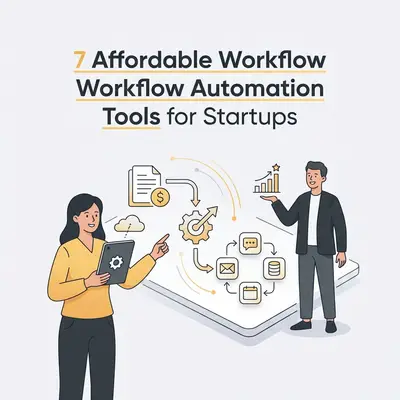
Workflow automation is the use of software to execute repetitive tasks without human intervention, acting as a digital bridge between your business applications. By automating manual data entry, lead nurturing, and customer support, startups can scale operations without increasing headcount.
![_ [GRAPH] Column chart. Manual Process - 10 Hours/Week. Automated Process - 2 Hours/Week. Chart title: Weekly Time Savings for Small Business Owners at top. Alt text: Column chart showing a reduction from 10 hours to 2 hours per week after implementing workflow automation](/blogs/best_affordable_workflow/-graph-column-chart-manual-process-10-hoursweek-au-400w.webp)
Why Should Startups Prioritize Workflow Automation?
Automation allows startups to scale operations without increasing headcount by eliminating repetitive manual tasks. By integrating software to handle data entry, lead nurturing, and customer support, small business owners can focus on high-level strategy. Implementing these tools early creates a foundation for efficiency that prevents operational bottlenecks as the company grows.
Key Insight: Automation is not just about saving time; it is about consistency. When a machine handles a task, it eliminates the human error that often creeps into manual data entry or repetitive email follow-ups.
What Are the Key Criteria for Choosing Affordable Automation Tools?
When selecting tools, prioritize ease of use, integration capabilities, and transparent pricing models. Startups should look for platforms that offer "no-code" interfaces, allowing non-technical founders to build workflows. Additionally, ensure the tool supports your existing tech stack—such as your CRM, email provider, and accounting software—to avoid data silos and expensive custom development.
Which Are the 7 Best Affordable Workflow Automation Tools for Startups?
| Tool | Best For | Key Pro | Key Con |
|---|---|---|---|
| Zapier | General Integration | Massive app library | Gets expensive at scale |
| Make | Complex Workflows | Visual builder | Steeper learning curve |
| Pabbly Connect | One-time payments | No task limits | Fewer native integrations |
| n8n | Self-hosting | Highly customizable | Requires technical setup |
| IFTTT | Simple Tasks | Very user-friendly | Limited business logic |
| Bardeen | Browser Automation | Saves time on research | Limited to browser tasks |
| ActiveCampaign | Marketing Automation | All-in-one CRM/Email | Can be overkill for some |
How Do You Choose the Right Tool for Your Specific Business Needs?
Choosing the right tool depends on your technical comfort level and the complexity of your workflows. If you need simple "if-this-then-that" triggers, start with Zapier or IFTTT. If you are building complex, multi-step data processing pipelines, Make or n8n will provide the necessary control. Always start with a free trial to test the interface.
Pro Tip: Before committing to a paid plan, map out your top three most time-consuming tasks. Check if your chosen tool has a "native integration" for the apps you already use, as this will save you hours of troubleshooting.
Quick Win: Need help deciding? Evalics offers a free automation audit to help you identify which tools fit your current business architecture.
How Can You Implement Automation Without Disrupting Daily Operations?
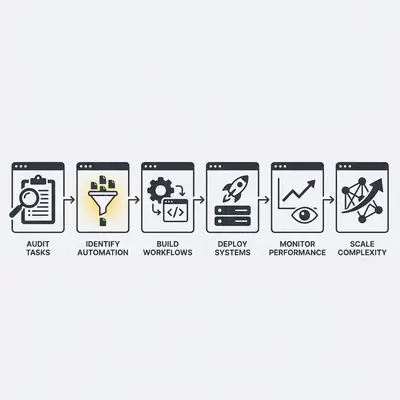
- Audit your current manual tasks to identify the most time-consuming processes.
- Map out the workflow steps on paper before touching any software.
- Start with a single, low-risk automation (e.g., email lead notifications).
- Test the workflow thoroughly with dummy data.
- Monitor the automation for errors for one week.
- Gradually scale to more complex, mission-critical processes.
What Are the Common Pitfalls to Avoid When Automating?
The most common mistake is automating a broken process, which only serves to scale inefficiency. Avoid "over-automating" by keeping human oversight in the loop for sensitive customer interactions. Additionally, ensure you have proper error handling in place; if an automation fails, you need a notification system to alert you immediately so you can intervene.
Reality Check: Don't let bad data ruin your automation. Ensure your CRM is clean before connecting it to your marketing tools. If your source data is messy, your automation will simply distribute that mess across your entire tech stack.