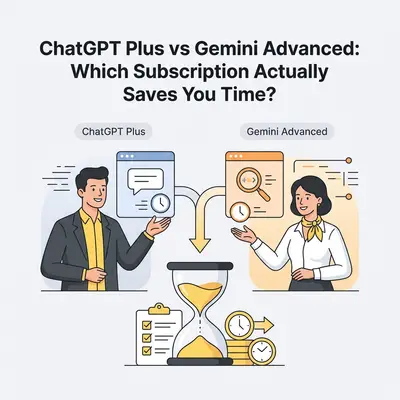
Gemini Advanced is now called Google AI Pro; it replaced the Google One AI Premium plan, and many people still search for it under the old name. If you are conducting a ChatGPT Plus vs Gemini Advanced comparison in 2026, you need to know which subscription actually accelerates your specific workflow rather than just generating generic text. The two subscriptions are strong at different things: ChatGPT Plus leans on custom GPTs and outbound tool calling, which suits complex Python debugging and iterative content strategy, while Gemini Advanced reads directly from Gmail, Drive, and Docs, which shortens email triage and document synthesis when your files already live there. Choosing the right subscription depends on your existing tech stack, not just raw model performance. This guide moves beyond marketing benchmarks to look at how each platform handles real-world tasks, so you invest in the subscription that minimizes manual prompt engineering and maximizes your daily output.
Where Does Gemini Advanced Excel in Workflow Efficiency?
Every time you switch tabs, you lose time. You lose focus.
If you use Google Workspace, ChatGPT creates friction. You have to open a new tab. You copy data from a Google Doc. You paste it into ChatGPT. You write your prompt. You copy the output. You paste it back into your Google Doc. You fix the formatting.
Gemini Advanced eliminates this process. It lives inside the tools you already use.
Native Workspace Integration
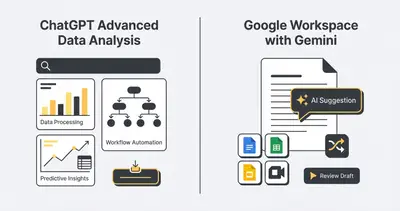
When you upgrade to Google AI Pro, Gemini appears inside Gmail, Docs, Sheets, and Slides. You can highlight text in a Google Doc and ask Gemini to rewrite it directly. You can open an email thread and ask Gemini to draft a reply based on the context.
Quick Win: In Gmail, use the "Help me write" button. Tell it to "reply and say no politely, but offer a meeting next Tuesday." It reads the email thread and drafts the response in seconds. You never leave your inbox.
The "@Drive" Superpower
Gemini's biggest time-saver is its ability to search your Google Drive instantly. In the Gemini web app, you can type @Google Drive followed by a prompt.
For example: "@Google Drive look at the Q3 Marketing Proposal and summarize the top three budget items."
Gemini finds the document, reads it, and gives you the answer. You do not have to hunt for the file, download a PDF, and upload it to the chat. If your business runs on Google Drive, this feature alone saves hours every week.
For deep dives into optimizing your Google setup, review these Google Workspace Automation Best Workflow Ideas.
How Does ChatGPT Plus Improve Deep Work and Productivity?
Gemini is great for quick drafting inside your documents. For work that needs code execution or custom tool actions, ChatGPT Plus has the more developed features.
If you need to analyze messy data with code or connect a custom assistant to other tools, ChatGPT Plus is the stronger fit.
Advanced Data Analysis
ChatGPT Plus includes data analysis (formerly called Advanced Data Analysis). When you upload a spreadsheet to ChatGPT, it does not just read the text. It actually writes Python code in the background, executes that code, and analyzes your data.
Imagine you export your monthly Quickbooks data. The CSV file is a mess. If you give it to Gemini, it tries to read it like a text document. It might guess the totals. It will likely make math errors. If you give it to ChatGPT Plus, it writes a script to clean the data, calculates the exact totals, and can even generate a downloadable pie chart of your expenses.
Key Insight: LLMs are naturally bad at math. ChatGPT solves this by writing code to do the math for it. Gemini tries to do the math in its "head," which leads to errors.
The Power of "Thinking" Models
ChatGPT Plus lets you pick OpenAI's Thinking models in the model picker. These models are designed to reason before they answer. The model names change often, so check OpenAI's help center for the current lineup.
If you are structuring a complex business process, drafting a legal contract, or troubleshooting a broken n8n workflow, standard AI models rush to an answer. The o-series models break the problem down into steps, verify their own logic, and deliver highly accurate results.
This saves you the time you would normally spend heavily editing a mediocre AI output. For more on how these models behave, see how to manage ChatGPT vs Gemini System vs User Prompts.
Custom GPTs vs. Gemini Gems: Which Offers Better Customization?
Both platforms let you create custom versions of the AI for specific tasks. OpenAI calls them Custom GPTs. Google calls them Gems.
Setting Up Repetitive Tasks
If you find yourself pasting the same instructions every day, you need a custom persona. You can create a "Blog Writer" persona that always uses your brand voice. You can create a "Code Reviewer" that always checks for specific security flaws.
Gemini Gems: Gems are incredibly fast to set up. You give the Gem a set of instructions, and it acts exactly as requested. It is perfect for text-based tasks. If you just need a dedicated marketing copywriter that remembers your brand guidelines, Gems work beautifully.
Custom GPTs: Custom GPTs are far more powerful. They do not just store text instructions. You can upload permanent knowledge files (like your company handbook). More importantly, Custom GPTs can take actions.
You can connect a Custom GPT to Zapier, Make, or n8n. You can literally tell your Custom GPT: "Draft an invoice for Acme Corp for $500 and send it." The GPT can reach out through an API, create the invoice in Stripe, and email it. Gems cannot do this.
How Does the Mobile Voice Experience Compare Between ChatGPT and Gemini?
Do not underestimate the time you can save away from your keyboard. Both platforms have mobile apps, but the experiences differ drastically.
ChatGPT Advanced Voice Mode: ChatGPT Plus offers voice mode for real-time conversation. You can interrupt it and talk to it like a phone call.
If you commute, you can use Voice Mode to brainstorm a marketing campaign, practice a sales pitch, or outline a blog post entirely hands-free.
Gemini Live: Gemini Live offers the same kind of real-time, interruptible voice conversation. On an Android phone, Gemini can also work with your device and Google apps, which ChatGPT cannot.
What Is the Real Cost of Ineffective AI Prompting?
No matter which $20 subscription you choose, you will waste time if you do not know how to talk to the AI.
A tool is only as good as the operator. Writing generic prompts like "write a blog post about plumbing" will yield generic, unusable results on both platforms. You will spend an hour editing out the robotic fluff.
To actually save time, you must learn to give clear context, set rigid constraints, and provide examples. Learn more about Prompt Engineering For Automation to maximize your $20 investment.
Reality Check: If you find yourself constantly rewriting what the AI gives you, the subscription isn't failing you. Your prompting framework is failing you.
Which AI Subscription Should You Choose for Your Workflow?
Stop overthinking the technical benchmarks. Choose your subscription based on where you currently spend your time.
Buy Google AI Pro (formerly Gemini Advanced) If:
- You live inside Google Docs, Sheets, and Gmail.
- Your primary need is drafting emails, summarizing long threads, or generating document outlines.
- You want to search your massive Google Drive using natural language.
- You value a unified workspace over advanced technical capabilities.
Buy ChatGPT Plus If:
- You work with spreadsheets, CSV files, or complex data analysis.
- You write code, build automations, or use tools like Make and n8n.
- You need to build Custom GPTs that connect to external APIs.
- You want OpenAI's reasoning (Thinking) models for complex strategy work.
- You want a world-class voice assistant for brainstorming on your commute.
What Is the Final Verdict: ChatGPT Plus vs. Gemini Advanced?
The goal of AI is not just to generate text. The goal is to buy back your time.
If you are a writer or an inbox-manager deeply embedded in the Google ecosystem, Gemini Advanced is the friction-killer you need. It brings the AI to your work.
If you are a strategist, data cruncher, or builder, ChatGPT Plus remains the heavyweight champion. It handles the deep, complex tasks that cause other models to fail.
Stop paying for tools you don't use effectively. Pick the one that fits your daily routine, master its specific features, and start reclaiming your hours.
Ready to move beyond standard subscriptions and build real, scalable automations for your business? Book a demo with Evalics today.
Frequently Asked Questions About AI Subscriptions
- Google Workspace Automation Best Workflow Ideas
- Prompt Engineering For Automation
- ChatGPT vs Gemini System vs User Prompts
- Data Quality Matters