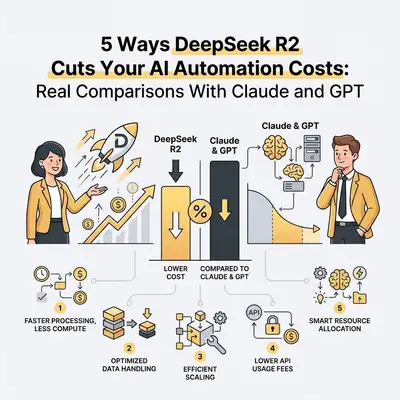
AI automation costs have become a real budget line for small and mid-size businesses in 2026. If you are running workflows that call an LLM thousands of times per day—document processing, lead scoring, email drafting, data extraction—the cost per token multiplies fast. DeepSeek R2 has entered this picture as a serious cost-reduction option that deserves a straight evaluation.
This post covers five concrete ways businesses are using DeepSeek R2 to reduce AI automation costs, with real pricing comparisons against Claude Sonnet 4.6 and GPT-4o. It also covers where DeepSeek R2 is not the right choice—because deploying the wrong model for the wrong task creates costs of a different kind.
Important context: DeepSeek R2 is developed in China. For any workflow processing sensitive, confidential, or regulated data, review your data residency requirements before using cloud-hosted inference. The cost savings are real, but not all workflows are appropriate candidates.
The Pricing Reality
Before getting into the strategies, here is the current pricing landscape as of March 2026:
| Model | Input (per 1M tokens) | Output (per 1M tokens) |
|---|---|---|
| DeepSeek R2 | ~$0.14 | ~$0.28 |
| GPT-4o mini | ~$0.15 | ~$0.60 |
| GPT-4o | ~$2.50 | ~$10.00 |
| Claude Haiku 4.5 | ~$0.80 | ~$4.00 |
| Claude Sonnet 4.6 | ~$3.00 | ~$15.00 |
DeepSeek R2 sits at the extreme low end of this pricing spectrum while offering capability that competes with models in the $2-3 per million token range on many tasks. That gap is the opportunity.
For a single workflow processing 10,000 documents per month with an average of 2,000 tokens each:
- Claude Sonnet 4.6: ~$60 per month in input tokens alone
- DeepSeek R2: ~$2.80 per month for the same volume
At scale, that difference is significant.
The 5 Cost-Cutting Strategies
1. Replace Claude or GPT for High-Volume Document Extraction
Document extraction—pulling structured data from invoices, contracts, forms, or reports—is one of the most common and token-hungry automation tasks. The task is well-defined: here is a document, extract these specific fields, return structured output.
For this type of task, where the prompt is precise and the expected output format is clear, DeepSeek R2 performs very close to frontier models at a dramatically lower cost. The model does not need nuanced judgment or complex reasoning. It needs to follow a clear extraction template reliably.
How to implement this: Build your extraction prompt with explicit output formatting instructions (JSON schema works well). Test DeepSeek R2 against 50-100 real documents from your dataset. Measure field extraction accuracy against your Claude or GPT baseline. For most structured extraction tasks, the accuracy gap is small enough to justify the switch.
Realistic savings: 80-95% reduction in LLM costs for extraction workflows with well-specified prompts.
Pro Tip: Always keep a small percentage of extractions routed to a higher-quality model as a quality-check sample. This catches drift without requiring full volume testing.
2. Use DeepSeek R2 for Lead Scoring and Classification
Lead scoring, ticket classification, email routing, and sentiment tagging are tasks where you need a model to make a judgment from a set of defined categories. These are classification problems, and they do not require the full generative power of a frontier model.
DeepSeek R2 handles classification tasks well when the categories are clear and the prompt defines them precisely. A well-crafted system prompt that explains the scoring rubric with examples will produce consistent results across thousands of leads per day at minimal cost.
Example workflow in n8n:
- Trigger: New CRM lead arrives via webhook
- Step 1: Format lead data into a structured prompt with your scoring rubric
- Step 2: Call DeepSeek R2 via HTTP node (OpenAI-compatible API format)
- Step 3: Parse the score from the response
- Step 4: Update the CRM record and route accordingly
Realistic savings: For a workflow processing 5,000 leads per month at an average of 800 tokens per lead, switching from GPT-4o to DeepSeek R2 reduces the monthly AI cost from approximately $100 to under $5.
For more on building lead qualification workflows, see What Is AI Lead Qualification Guide and Case Study: AI-Powered Lead Qualification.
3. Summarization at Scale Without the Frontier Price
Summarizing meeting transcripts, long documents, support ticket histories, or research reports is token-intensive work. A single meeting transcript can run 10,000-20,000 tokens. If you are summarizing 500 meetings per month, you are moving serious token volume.
DeepSeek R2's summarization quality is competitive with Claude Haiku 4.5 and GPT-4o mini for most business document types. It handles the core task—reducing a long document to key points in a specified format—without the overhead cost of frontier models.
Where it works well:
- Internal meeting notes where perfect prose is not critical
- Support ticket summaries for agent review
- Research brief generation from structured sources
- News monitoring and digest creation
Where it falls short:
- Customer-facing summaries where voice quality matters
- Summaries that require nuanced interpretation rather than compression
- Cases where the source document contains ambiguous content requiring judgment calls
Realistic savings: Switching from Claude Sonnet 4.6 to DeepSeek R2 for a 500-meeting-per-month summarization workflow (averaging 15,000 tokens per meeting) reduces the monthly input token cost from approximately $22.50 to under $1.10.
4. Run Initial Drafts Through DeepSeek R2, Polish With a Better Model
One of the more elegant hybrid approaches is using DeepSeek R2 for a first draft and a higher-quality model only for final refinement. This keeps the token-heavy draft generation cheap while ensuring the customer-facing output has the quality that a flagship model produces.
The workflow:
- DeepSeek R2 generates a first draft based on a detailed template
- A lightweight validation step checks whether the draft meets basic criteria (length, structure, required sections present)
- If the draft passes validation, Claude Haiku 4.5 refines tone and corrects any errors
- Only edge cases—drafts that fail validation—escalate to Claude Sonnet 4.6
This tiered approach means you pay frontier model prices only for a small fraction of your total volume.
Realistic savings: On a high-volume email drafting workflow (10,000 emails per month), this tiered approach can reduce costs by 60-75% compared to running everything through Claude Sonnet 4.6, while maintaining final output quality that is close to the all-Sonnet benchmark.
For context on building hybrid model pipelines, see When Cheaper AI Models Become More Expensive in Production and How to Choose the Best AI Model for Your Use Case.
5. Internal Data Processing That Never Reaches Customers
A large portion of AI automation work is internal: processing internal reports, generating summaries for team meetings, formatting data for internal dashboards, tagging content for internal systems. None of this output is customer-facing, which means the quality bar is functional rather than polished.
For internal processing workflows, DeepSeek R2 is often good enough that using a frontier model is straightforward waste. The output will be read by a team member who knows the context, will correct obvious errors, and does not expect prose quality. They need the information processed, not perfected.
Examples of internal workflows suited to DeepSeek R2:
- Daily CRM data cleanup and normalization
- Internal knowledge base tagging and categorization
- Competitor monitoring and summarization for internal briefings
- Data extraction from unstructured internal reports
- Automated changelog and release note drafts for developer review
Realistic savings: Across a portfolio of internal workflows processing a combined 50 million tokens per month, switching from Claude Sonnet 4.6 to DeepSeek R2 reduces the monthly LLM spend from approximately $150 to under $8.
When NOT to Use DeepSeek R2
The savings are real, but so are the limitations. Here are the cases where cheaper models cost you more in the long run:
Complex multi-step agentic tasks. DeepSeek R2 is weaker at maintaining coherence across long autonomous task sequences. If your workflow requires the model to make a series of interdependent decisions over many steps, errors compound quickly and the human review cost can exceed the savings.
Sensitive or regulated data. Any workflow handling personal data (GDPR), health information (HIPAA), or financial data subject to strict compliance requirements should not use cloud-hosted DeepSeek without verifying data residency and legal compliance in your jurisdiction.
High-stakes customer-facing output. Brand voice matters for customer communications. DeepSeek R2's writing quality is capable but does not match Claude Sonnet 4.6 for tone consistency and nuance. For outbound sales emails, customer support responses, or any content where the quality of writing directly affects customer perception, the cost of a worse model is not worth the token savings.
Complex instruction-following. If your system prompt involves multiple conditional rules, nuanced constraints, or requires the model to reliably follow a complex protocol, DeepSeek R2 is less consistent than Claude. The failure rate on edge cases is higher, which can create unpredictable downstream problems.
Building a Practical Cost Optimization Strategy
The right approach is not to replace your entire AI stack with DeepSeek R2. It is to audit your current workflows and classify each one:
- High volume, well-defined, non-sensitive, non-customer-facing: Strong candidate for DeepSeek R2
- High volume, customer-facing but formulaic: Test DeepSeek R2 with quality sampling
- Complex reasoning, agentic, sensitive, or customer-critical: Keep on Claude or GPT
A mixed-model strategy across your n8n or Make.com workflows—routing tasks to the right model tier based on their actual requirements—typically reduces AI costs by 40-70% compared to using a single frontier model for everything, while maintaining or improving overall workflow quality.
For more on calculating and optimizing AI costs, see How to Calculate Token Costs for an AI Project and True Cost of AI Automation 2025.
Want help auditing your current AI automation costs and building a cost-optimized model strategy? Book a call at evalics.com/contact to review your workflows and identify where the savings are.