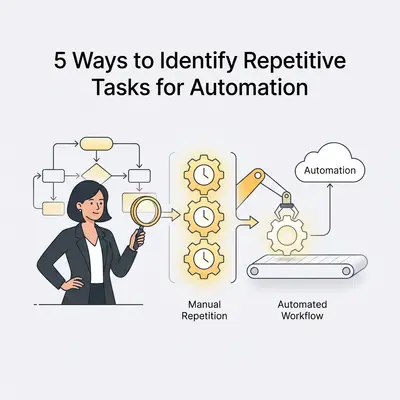
Small business automation is the practice of using software and AI to perform repetitive, rule-based tasks without human intervention. By delegating manual workflows to digital tools, you reclaim lost productivity and reduce operational costs.
Why Should Small Business Owners Prioritize Automation?
Automation allows you to reclaim hours of lost productivity by delegating manual, high-frequency tasks to software. By identifying and automating repetitive workflows, you reduce human error, lower operational costs, and allow your team to focus on high-value growth activities rather than administrative maintenance.
Key Insight: Automation is not about replacing your team. It is about removing the "drudge work" so your employees can focus on complex problem-solving and building deeper customer relationships.
How Do You Track Your Daily Time Expenditure?
The most effective way to identify automation opportunities is to conduct a time audit where you log every task performed over a one-week period. By categorizing these tasks into "creative/strategic" and "repetitive/manual," you can clearly visualize which activities are prime candidates for AI-driven automation tools.
- Pros: Provides objective data on where your time goes.
- Cons: Requires discipline to track tasks in real-time.
![_ [GRAPH] Column chart. Manual Data Entry - 10 Hours/Week. Email Management - 8 Hours/Week. Reporting - 5 Hours/Week. Chart title: Weekly Time Spent on Repetitive Tasks at top. Alt text: Column chart showing the breakdown of hours spent on manual tasks per week](/blogs/identify_repetitive_tasks/-graph-column-chart-manual-data-entry-10-hoursweek-400w.webp)
Which Communication Tasks Are Consuming Your Inbox?
Communication-heavy tasks, such as responding to common customer inquiries, scheduling meetings, or sending follow-up emails, are often the most repetitive parts of a business day. Using AI to draft responses or automate scheduling links can save hours of manual typing and back-and-forth coordination.
- Pros: Drastically improves response times and customer satisfaction.
- Cons: Requires initial setup of templates and AI training.
Pro Tip: Start by automating the transfer of data between your two most-used apps to see immediate time savings.
How Can You Automate Data Entry and File Management?
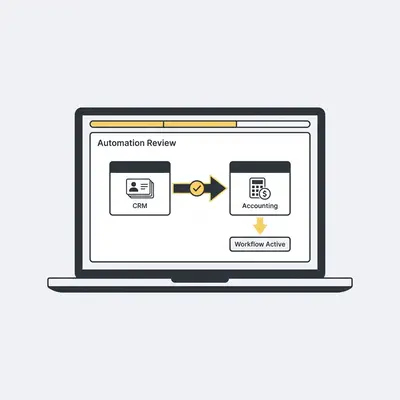
Data entry is the quintessential repetitive task that is highly prone to human error and perfect for automation. By using tools that automatically sync data between your CRM, accounting software, and project management platforms, you eliminate the need for manual copy-pasting and ensure data consistency across your business.
- Pros: Eliminates manual errors and ensures real-time data accuracy.
- Cons: Requires integration setup between different software platforms.
Where Does Your Lead Management Process Stagnate?
Lead management often involves repetitive steps like moving contacts between spreadsheets, sending welcome sequences, and updating lead statuses. Automating these triggers ensures that no lead falls through the cracks, allowing your sales process to run 24/7 without manual intervention.
- Pros: Increases conversion rates by ensuring timely follow-ups.
- Cons: Requires a well-defined sales process before automation can be applied.
Reality Check: Do not try to automate a broken process. If your manual lead management is chaotic, automation will only make that chaos happen faster. Document your process first.
How Do You Handle Recurring Financial and Administrative Tasks?
Invoicing, payroll, and expense reporting are predictable, recurring tasks that follow strict rules, making them ideal for automation. By setting up automated triggers for recurring invoices or payment reminders, you improve cash flow and reduce the administrative burden on your finance team.
- Pros: Improves cash flow and reduces late payments.
- Cons: Requires strict adherence to financial software protocols.
To get started, audit your current workflows to find the "three-click rule." If you perform the same sequence of clicks more than three times a week, it is time to build an automated workflow. If you need help identifying your first automation, contact the Evalics team for a free workflow audit.