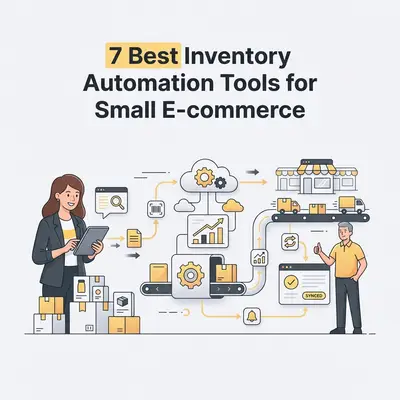
Inventory automation is the use of software to track stock levels, orders, and deliveries without manual intervention. By syncing sales channels in real-time, these systems eliminate manual data entry, prevent stockouts, and reduce human error. For small e-commerce owners, this means reclaiming hours of administrative work each week while ensuring your online store always reflects accurate stock levels.
![_ [GRAPH] Column chart. Manual Inventory Management - 10 Hours/Week. Automated Inventory Management - 1 Hour/Week. Chart title: Weekly Time Spent on Inventory Tasks at top. Alt text: Column chart showing a 90% reduction in time spent on inventory tasks after implementing automation](/blogs/inventory_management_automation/-graph-column-chart-manual-inventory-management-10-400w.webp)
Why Does Inventory Automation Matter for Small E-commerce?
Manual inventory management is a silent profit killer. When you rely on spreadsheets, you risk overselling items, which leads to poor customer reviews and platform penalties. Automation ensures your data is always current, allowing you to focus on growth rather than reconciliation.
What Are the Top 7 Inventory Automation Tools for Small Businesses?
The following tools are selected based on their ease of use, integration capabilities with platforms like Shopify and WooCommerce, and their ability to scale with a growing business. Each platform offers unique strengths, ranging from basic stock tracking to advanced multi-channel fulfillment automation.
| Tool Name | Best For | Key Automation Feature |
|---|---|---|
| Katana | Manufacturing/Makers | Real-time production scheduling |
| ShipStation | High-volume shipping | Automated label generation |
| Stocky (by Shopify) | Shopify-native users | Automated purchase order suggestions |
| Cin7 Core | Multi-channel scaling | End-to-end supply chain sync |
| Sortly | Visual inventory tracking | QR code/barcode scanning |
| Ordoro | Dropshipping/Kitting | Automated order routing |
| Zoho Inventory | Budget-conscious SMBs | Multi-warehouse management |
How Do You Choose the Right Tool for Your Business?
Selecting the right tool requires evaluating your current sales volume, the number of channels you operate, and your specific fulfillment workflow. Prioritize platforms that integrate seamlessly with your existing tech stack, offer automated reorder points, and provide clear reporting dashboards. If you are scaling, look for tools that support multi-warehouse management to prevent regional stockouts.
Pro Tip: Before committing to a subscription, check if the tool offers a sandbox environment to test your current product catalog sync.
How Does Automated Reordering Save You Money?
Automated reordering prevents the "dead capital" of overstocking and the lost revenue of stockouts. By setting minimum threshold triggers, the software automatically generates purchase orders when stock runs low. This ensures you only buy what you need, when you need it, while maintaining optimal cash flow for your business.
Key Insight: Maintaining optimal stock levels can improve your cash conversion cycle by up to 15%, allowing you to reinvest capital into marketing or product development.
What Are the Common Pitfalls of Inventory Automation?
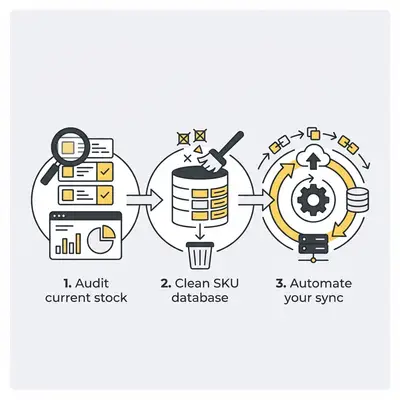
The most common pitfalls include poor data hygiene, failing to account for lead times, and over-complicating the setup process. If your initial product data is inaccurate, automation will simply propagate those errors faster. Perform a full physical inventory count and clean your SKU database before connecting any automation software to your store.
How Can AI Enhance Your Inventory Management?
AI enhances inventory management by moving beyond simple threshold alerts to predictive demand forecasting. By analyzing historical sales data, seasonal trends, and external market shifts, AI tools predict exactly how much stock you will need for upcoming months. This allows you to optimize your supply chain proactively rather than reactively.
Reality Check: AI is not a "set it and forget it" solution. You must review the AI's suggestions against your own business intuition, especially during new product launches or unexpected market changes.
Quick Win: Evalics specializes in custom AI automation workflows for e-commerce. If you need help integrating these tools or building custom demand forecasting, book a free consultation today.
Next Steps for Your Business
To get started, audit your current manual processes. Identify the specific tasks that consume the most time, such as updating stock levels across Amazon and Shopify. Choose one tool from the list above that addresses your biggest pain point, and dedicate two weeks to cleaning your data before the full migration. Once your system is live, monitor your stock accuracy for 30 days before adding more complex automations like automated reordering.