Workflow automation has become essential infrastructure for small businesses—but choosing the wrong platform means either overpaying as you scale, hitting walls when you need custom logic, or compromising data privacy you cannot afford to lose.
n8n, Make, and Zapier are the three dominant tools in this space in 2026. They all connect apps and automate workflows. The differences between them are significant, and they compound quickly as your automation needs grow.
This comparison cuts through the marketing claims to show what each platform actually costs at scale, where each one excels, and which scenarios make one the clear winner.
The Fundamental Difference
Before comparing features, it is worth understanding what each platform is optimized for:
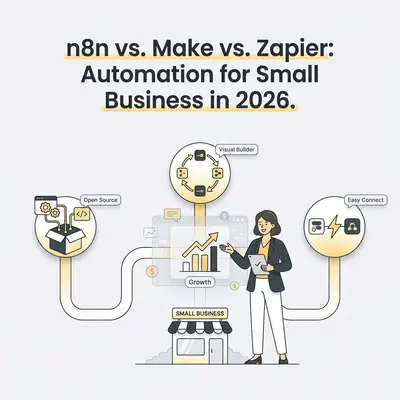
- Zapier was built to make automation accessible to non-technical users. Its 9,000+ app integrations (Zapier's own count) and simple linear workflow builder are hard to beat for getting something working quickly without technical expertise.
- Make was built for users who think visually and need complex branching logic. Its canvas-based interface shows data flowing between modules—significantly more powerful than Zapier for complex scenarios, accessible without being a developer.
- n8n was built for developers and technical teams who want full control. Open-source, self-hostable, and with native code execution, it is the most powerful of the three—at the cost of a steeper learning curve.
Pricing: Where the Real Differences Live
The three platforms bill in different units, so headline prices cannot be compared directly. The figures below were checked on each vendor's pricing page on October 23, 2026 and will change; confirm them before you buy.
Zapier
Zapier bills per task. According to Zapier's help center, a task is any successful action step; the trigger and polling for new data do not count. A Zap with one trigger and four action steps therefore uses four tasks per run.
| Plan | What is included | Price |
|---|---|---|
| Free | 100 tasks per month, two-step Zaps | $0 |
| Professional | Multi-step Zaps, premium apps, task tier of your choice | from $19.99/month |
| Team | 25 users, shared Zaps and app connections | from $69/month |
| Enterprise | Unlimited users, advanced admin controls | Contact sales |
The price you pay depends on the task tier you select, so use Zapier's pricing page with your own task estimate.
Make
Make bills per credit. According to Make's pricing FAQ, most actions a scenario performs use 1 credit; router and error handler modules are not counted, and some AI features use more. The Free plan includes 1,000 credits per month. Paid plans are priced by the credit volume you license, so see make.com/en/pricing for the current plans and prices.
n8n
n8n Cloud bills per workflow execution: one full run of a workflow counts once, however many steps it contains. A 10-step workflow that runs 1,000 times a month is 1,000 executions.
| Plan | Executions per month | Price (billed annually) |
|---|---|---|
| Starter (Cloud) | 2,500 | €20/month |
| Pro (Cloud) | 10,000 | €50/month |
| Business (self-hosted only) | 40,000 | €667/month |
| Enterprise | Custom | Contact sales |
n8n also offers a free trial on Cloud and a Community Edition that you can self-host: n8n does not meter executions there, and you pay for your own hosting. Check the license terms for your use.
The same workflow, three meters
Hypothetical example: one workflow has a trigger and nine action steps and runs 1,000 times a month.
- n8n Cloud: 1,000 executions.
- Zapier: 9 tasks per run × 1,000 runs = 9,000 tasks (the trigger is not counted).
- Make: about 10 credits per run × 1,000 runs = about 10,000 credits, if each of the ten modules is a standard 1-credit action.
Compare each result with the plan limits above. Because the units differ, the same workflow can land on very different plan tiers. Run this arithmetic for your own workflows before you compare prices.
Integrations
Zapier wins on breadth. Zapier says it connects to more than 9,000 apps, including many niche SaaS tools that the other two have not built connectors for. It is the safest choice if you need to connect a specific tool that others do not support.
Make covers the most common use cases. Make's pricing FAQ cites more than 1,000 apps, which covers the major business tools: Google Workspace, Microsoft 365, HubSpot, Salesforce, Slack, Notion, Airtable, Stripe and Shopify, among others. For most small businesses, the apps they need are in Make's catalog; check yours before you commit.
n8n uses a different model. n8n's catalog of ready-made integrations is smaller than Zapier's, but its generic HTTP Request node can connect to any REST API, GraphQL endpoint or webhook-based service, even without a pre-built integration. If the app has an API, n8n can usually connect to it. This matters when you need to connect custom internal tools or less common platforms with exact control over the API calls.
AI Capabilities in 2026
All three platforms have added AI features, and they change quickly, so check each vendor's current documentation.
n8n offers the most depth for custom AI workflows, in our assessment. LangChain-based nodes let you build multi-step AI agent pipelines in the visual editor: connect an LLM, give it tools (search, calculator, API calls), and let it work through a task. It supports providers such as OpenAI, Anthropic Claude and Google Gemini, and Ollama for self-hosted open-source models, so a workflow can run entirely on your own infrastructure.
Zapier and Make both offer AI integrations. Both connect to OpenAI and Anthropic and both offer AI-assisted workflow building. These features suit standard AI tasks such as generating content, classifying data and extracting information from text. Zapier also offers Zapier Agents, where you define a goal and available tools; evaluate it on your own tasks before relying on it for production processes.
Data Privacy and Compliance
This is where self-hosting changes the picture.
Zapier and Make are cloud services. Your workflow data - including the content being processed - flows through their servers. Both publish security and compliance documentation; check it for the certifications and data-processing terms you need instead of assuming them. For workflows involving health records, financial data, legal documents or strict residency requirements, review those terms with your data protection officer or counsel.
Self-hosted n8n keeps data on infrastructure you control. Workflows run on your servers, so you decide where the data lives. That helps with data-locality requirements, but it does not make a deployment compliant by itself: security, access control, backups and the legal basis for processing remain your responsibility.
Interface and Learning Curve
| Platform | Learning Curve | Best Interface Style |
|---|---|---|
| Zapier | Low | Linear, step-by-step |
| Make | Medium | Visual canvas, flowchart |
| n8n | Medium-High | Node graph, developer-friendly |
Zapier is usually the fastest to get started with. Make requires understanding its scenario builder but rewards the investment with significantly more power. n8n's node-based interface is approachable with practice, but debugging failures requires comfort reading JSON data and understanding how nodes pass data between each other.
Which Platform Should You Choose?
Choose Zapier if:
- Your team is non-technical and needs to be self-sufficient with automations
- You need to connect a niche app that only Zapier supports
- Simple, linear workflows cover most of your use cases
- Speed of setup matters more than cost
Choose Make if:
- You need complex branching logic, routers, or multi-path scenarios
- You want a visual interface that shows data flowing through the workflow
- Your volume makes Make's credit-based pricing cheaper for your workflows (calculate it as shown above)
- Your team can invest a few hours learning the canvas interface
Choose n8n if:
- You are building AI-powered automation workflows
- Data privacy or compliance requires self-hosted infrastructure
- You need custom API connections that no native integration covers
- You want to avoid metered pricing entirely by self-hosting the Community Edition
- You have (or can hire) light technical capability
For many small businesses starting out, Make is a sensible first choice for its balance of power and visual clarity, but only if the arithmetic above works out for your volume. Consider n8n if AI workflows or data control become requirements, and Zapier if your team is non-technical or needs an app only Zapier supports.
Not sure which platform fits your automation needs? Book a strategy call at evalics.com/contact to map your workflows to the right tool before you invest in setup.