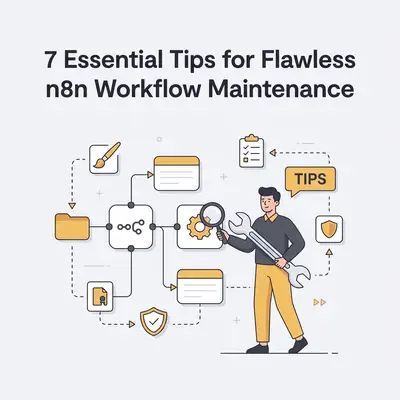
n8n workflow maintenance is the practice of monitoring, updating, and refining your automated processes to ensure they remain functional, secure, and efficient. For small businesses, this is critical because "silent failures"—where a workflow stops working without notice—can lead to lost leads, broken customer experiences, and wasted API credits. Proactive maintenance turns fragile experiments into reliable, revenue-generating assets.
Structured monitoring is what turns an automation stack from something you hope is running into something you know is running. Quarterly maintenance keeps "automation debt" from building up until a small change breaks several workflows at once.
What are the 7 essential tips for flawless n8n workflow maintenance?
Maintaining n8n workflows requires a balance of technical hygiene and strategic monitoring to prevent downtime. By implementing these seven practices, you ensure your automations run smoothly without constant manual intervention.
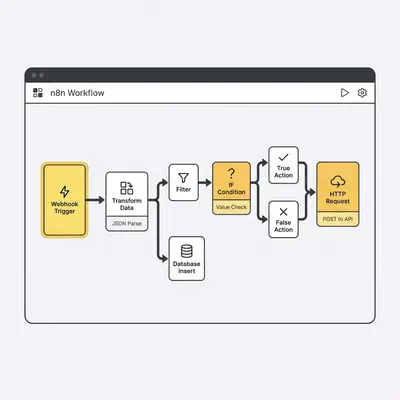
- Implement Robust Error Handling: Use "Error Trigger" nodes and "Continue on Fail" settings to catch issues before they cascade. This prevents a single failed API call from stopping your entire business process.
- Standardize Naming Conventions: Use clear, descriptive names for nodes and workflows. If a node is named "Send Slack Notification" instead of "Node 12," any team member can troubleshoot the logic instantly.
- Version Control with Git: Connect your n8n instance to a Git repository. This allows you to track changes, revert errors, and collaborate effectively without the risk of losing previous stable versions.
- Monitor Execution Logs Regularly: Review the execution history weekly. This helps you identify patterns of failure, such as recurring API timeouts or unexpected latency in third-party services.
- Optimize API Usage: Audit your workflows to remove redundant calls. By caching data or using batch requests, you stay within your plan limits and reduce overall execution time.
- Document Workflow Logic: Maintain a "README" or internal wiki page. Explain the purpose and data flow of each complex automation so that the logic remains clear even if the original creator is unavailable.
- Schedule Periodic Audits: Set a recurring calendar reminder to test end-to-end functionality. This is especially important after third-party API updates, which often change data structures.
Pro Tip: Always commit your changes with descriptive messages like "Added Slack notification for new leads" to make future audits significantly faster and easier.
How can you effectively manage workflow versions and backups?
Version control acts as the safety net that prevents a single mistake from breaking your entire automation ecosystem. By utilizing n8n’s built-in Git integration, you create a permanent audit trail of every modification made to your workflows. This allows you to roll back to a stable state in seconds if a new deployment causes unexpected behavior.
How do you troubleshoot failed executions without wasting time?
Troubleshooting is most efficient when you have a standardized process for isolating the point of failure. Start by checking the execution log to identify the specific node that failed. Then, inspect the input and output data for that node to see if the API response format has changed. This systematic approach prevents guesswork and gets your automations back online faster.
Reality Check: Most automation failures are not caused by n8n itself, but by changes in the third-party APIs you are connecting to. Always check the API provider's status page first.
How does documentation prevent "automation debt" in your business?
Automation debt occurs when workflows become so complex that only the original creator understands how they function. By documenting the "why" and "how" of your workflows, you ensure business continuity even if a team member leaves or a process changes. Clear documentation acts as a blueprint, making it easier to scale or modify your automations later.
How can you optimize workflows for better performance and cost?
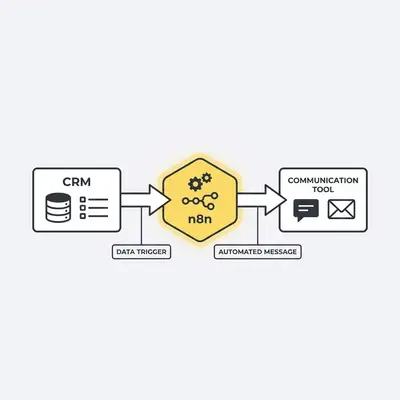
Performance optimization involves minimizing the number of operations and data transfers within your workflows. By using "Wait" nodes strategically, batching API requests, and removing unnecessary data processing, you reduce your execution time and resource consumption. This makes your workflows faster and keeps your monthly n8n costs predictable as your volume grows.
Key Insight: Every node execution consumes resources. If you can perform a task in one node instead of three, you are directly reducing your long-term infrastructure costs.
Quick Win: Need help auditing your current workflows? Contact the Evalics team for a professional automation health check to identify bottlenecks and cost-saving opportunities.