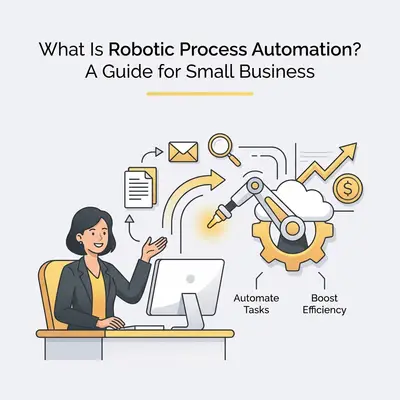
Robotic Process Automation (RPA) is a technology that uses software "bots" to mimic human actions on a computer, such as clicking, typing, and moving data between applications. For small businesses, it matters because it eliminates repetitive, manual tasks, allowing owners to focus on growth rather than administrative busywork while reducing human error.
The appeal of RPA is narrow and specific: it removes the transcription step. A bot copying a figure between two systems will not mistype it on a Friday afternoon, which is where most manual data entry errors come from.
How Does Robotic Process Automation Work for Small Businesses?
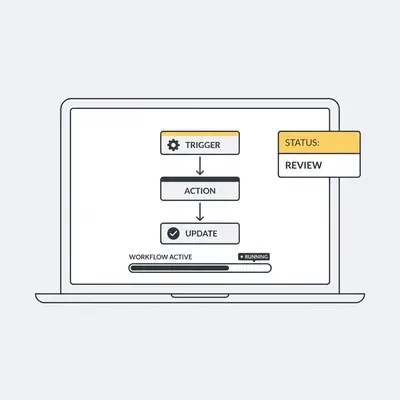
RPA works by recording or programming a software bot to follow a set of rules to complete digital tasks across different platforms. Unlike complex AI that "thinks," RPA follows a strict "if-this-then-that" logic, making it perfect for structured, high-volume tasks like invoice processing, data entry, or customer onboarding.
![_ [GRAPH] Column chart. Manual Data Entry - 10 Hours/Week. Automated Data Entry - 1 Hour/Week. Chart title: Weekly Time Spent on Data Entry at top. Alt text: Column chart showing a 90% reduction in time spent on data entry tasks after implementing RPA](/blogs/robotic_process_automation/-graph-column-chart-manual-data-entry-10-hoursweek-400w.webp)
Think of a bot as a digital employee that never sleeps. You provide the bot with a login and a set of instructions. It logs into your accounting software, pulls a report, copies the data into a spreadsheet, and emails it to your accountant. It does this exactly the same way every time, without fatigue or typos.
Which Business Processes Are Best Suited for Automation?
The best processes for automation are those that are repetitive, rule-based, and involve digital data. Ideal candidates include payroll processing, inventory management, email sorting, and customer data synchronization between your CRM and accounting software. If a task requires a human to make a subjective judgment, it is likely not ready for RPA.
| Process Type | Characteristics | Automation Potential |
|---|---|---|
| Data Entry | High volume, repetitive, structured | High |
| Invoice Processing | Rule-based, standard formats | High |
| Creative Writing | Subjective, requires nuance | Low |
| Strategic Planning | Requires human judgment | Low |
| Email Sorting | Rule-based, keyword-driven | High |
Key Insight: If you find yourself saying, "I do this exact same thing every Monday morning," that task is a prime candidate for automation.
How Can You Implement RPA in 7 Steps?
Implementing RPA involves a structured approach to ensure you don't automate a broken process. Follow these steps to get started:
- Identify the Pain Point: Choose one high-volume, repetitive task that drains your team’s time.
- Map the Workflow: Document every single click and keystroke involved in the current manual process.
- Clean Your Data: Ensure the data being used is standardized and error-free before the bot touches it.
- Select Your Tool: Choose an RPA platform that integrates with your existing tech stack, such as Microsoft Power Automate, Make, or n8n.
- Build and Test: Create the bot in a sandbox environment to ensure it handles exceptions correctly.
- Deploy and Monitor: Launch the bot for a small batch of work and monitor its performance closely.
- Scale: Once successful, apply the same methodology to the next process in your business.
Pro Tip: Start small. Automating one 30-minute daily task saves you over 120 hours per year. That is three full work weeks you can reclaim for business development.
What Are the Common Pitfalls to Avoid?
The most common pitfall is "automating the mess," which means applying automation to a process that is already inefficient or poorly defined. If your manual process is chaotic, your bot will simply perform that chaos at high speed. Other risks include failing to involve your team in the transition, ignoring security protocols for bot access, and neglecting to maintain the bots as your software applications update.
Reality Check: Automation is not a "set it and forget it" solution. Software updates to your CRM or accounting tools can break your bot's connection. Plan for monthly check-ins to ensure your workflows remain functional.
How Do You Measure the Success of Your Automation?
Success is measured by tracking Key Performance Indicators (KPIs) such as time saved per task, reduction in error rates, and the cost-per-transaction compared to manual labor. By comparing these metrics before and after implementation, you can calculate the exact Return on Investment (ROI) your automation project provides to your bottom line.
If you spent $500 on an automation tool but saved 20 hours of labor per month, and your hourly rate is $50, you have generated $1,000 in value for a $500 investment. That is a clear, measurable win.
Next Steps for Your Business
To begin your automation journey, start by auditing your current weekly tasks. Pick the one that causes the most frustration and document the steps you take to complete it. Once you have that map, look for a low-code tool that connects your primary apps. If you need help identifying which processes offer the highest ROI, check out our Automation Readiness Checklist to score your current workflows.