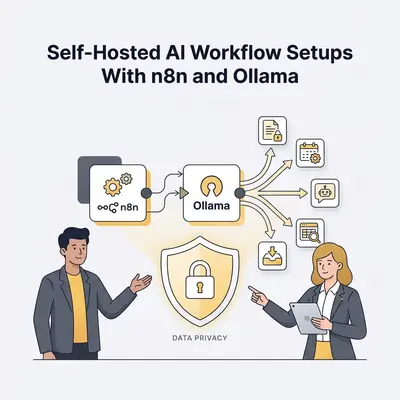
Data privacy is not a compliance checkbox for every business—it is a real operational requirement. Law firms processing client communications. Healthcare businesses handling patient data. Financial services firms with regulatory obligations. Any company whose clients contractually prohibit data leaving their environment.
For these teams, the standard AI automation playbook—plug Claude or GPT-4 into your workflow and send your data to the cloud—is not an option. The alternative is a self-hosted stack: n8n running on your infrastructure, connected to Ollama serving local AI models, with no data leaving your network.
This post describes five workflow setups using this stack and explains what you gain and what you give up compared to cloud AI alternatives.
The Self-Hosted Stack: What You Need Before Starting
Before the workflows, the components:
n8n (self-hosted): The workflow automation layer. Either deployed on your own server via Docker, or on n8n Cloud with your Ollama instance accessible via secure URL. n8n's Ollama node makes connecting straightforward.
Ollama: Runs locally on your server. Download models with ollama pull mistral or ollama pull llama3.3. Exposes a local API on port 11434. Compatible with the OpenAI API format, so most n8n AI nodes can target it.
Recommended minimum hardware for business use: 16-32GB RAM, modern CPU (M-series Mac or recent AMD/Intel), optional GPU with 8-16GB VRAM for faster inference. A Mac Studio M2 Max (96GB unified memory) handles 70B models comfortably. An NVIDIA RTX 4090 handles 13-14B models quickly.
Model recommendation for most workflows: Start with mistral:7b-instruct or llama3.3:8b. These run on modest hardware and handle most text classification, summarization, and structured extraction tasks adequately.
The 5 Workflow Setups
1. Confidential Document Classification and Routing
Use case: Legal firms, healthcare businesses, or any organization receiving sensitive documents that need to be classified by type and routed to the right internal team—without any document content touching external servers.
The workflow:
- Trigger: A document lands in a monitored folder on your network storage (Nextcloud, SharePoint on-prem, or a simple watched directory)
- n8n reads the document text (using the Read Binary Files node for PDFs or document conversion)
- A prompt is sent to Ollama (Mistral 7B): "Classify this document as one of the following: [contract, invoice, medical record, legal filing, compliance document, other]. Return only the category label and a 1-sentence reason."
- Based on the classification, n8n routes the file: moves it to the appropriate folder, creates a task in your project management system for the responsible team, and sends an internal notification
- A classification log entry is written to an internal database for audit trail
Why this must be self-hosted: Document content (client names, medical information, financial terms, legal strategy) must not touch cloud AI APIs due to client confidentiality agreements or regulatory requirements.
Model performance note: 7B models are accurate on clear-cut classifications but less reliable when documents are ambiguous or span multiple categories. Build in a "confidence required" rule: if the model flags uncertainty or outputs a category with a low-confidence signal, route to human review instead of automatic routing.
2. Internal Knowledge Base Q&A With RAG
Use case: A team needs to query internal documents (policy manuals, SOPs, client contracts, technical documentation) using natural language—without those documents being sent to cloud AI services.
The workflow (using Retrieval-Augmented Generation):
-
Indexing phase (runs once, then incrementally):
- n8n reads all documents from your internal knowledge base
- Text is split into chunks and embedded using a local embedding model (Ollama supports embedding models:
nomic-embed-textormxbai-embed-large) - Embeddings are stored in a local vector database (Qdrant self-hosted, or pgvector on your PostgreSQL)
-
Query phase (triggered by user query):
- User submits a question via a simple web form or Slack message to a private Slack channel
- n8n embeds the question using the same local embedding model
- The vector database returns the top 5 most semantically similar document chunks
- The retrieved chunks plus the user's question are sent to Ollama (Llama 3.3 8B or Mistral 7B)
- The model generates a response grounded in the retrieved content, with source citations
- Response is returned to the user in Slack or via email
Why this matters: Standard cloud RAG solutions (OpenAI Assistants, Azure OpenAI) send your documents to third-party infrastructure for embedding and storage. This setup keeps everything on your hardware.
Realistic expectation: Local models handle factual Q&A over well-structured documents well. They struggle with multi-hop reasoning ("What is our policy on X given our contract with client Y?") and ambiguous questions. For complex queries, plan for human follow-up approximately 20-30% of the time.
For more on RAG and vector databases, see What Is a Vector Database? Pinecone, Weaviate Explained.
3. Local Email Drafting and Triage for Sensitive Communications
Use case: Professional service firms where email content is confidential—law firms, accountants, financial advisors—who want AI drafting assistance without email content leaving their environment.
The workflow:
- Trigger: An incoming email is detected in a monitored inbox via IMAP (n8n supports IMAP triggers without cloud email scanning)
- Ollama reads the email and performs two tasks:
- Classifies the email: urgent, standard, FYI only, or spam
- Generates a 2-sentence summary of the email's core content and request
- Both are logged to an internal dashboard (Baserow or NocoDB, self-hosted)
- For emails classified as "urgent," a Slack notification is sent to the responsible team member with the summary
- Separately, a draft reply workflow is available: when a team member clicks a button in the dashboard, a draft reply is generated by Ollama using the email content as context, then surfaced in their email client for review and sending
Privacy note: This workflow requires your n8n instance to have IMAP access to the email server. Email content is read by n8n (running on your infrastructure) and sent to Ollama (running on your infrastructure). No email content touches external services.
Limitation: This workflow requires your email to be accessible via IMAP, which most corporate email systems support. Google Workspace and Microsoft 365 require OAuth setup for IMAP—which means n8n needs credentials to access your mail. Ensure your internal security policies allow this pattern before implementing.
4. Automated Financial Document Data Extraction
Use case: Accounting firms, finance teams, or businesses that receive invoices, receipts, or financial statements as PDFs and need to extract structured data (vendor, date, amount, line items) without sending financial data to cloud OCR or AI services.
The workflow:
- Trigger: A PDF lands in a monitored folder (invoices inbox, expense receipts folder)
- n8n runs the PDF through a local OCR step if needed (Tesseract via a Docker sidecar, or a self-hosted document processing tool like Docling)
- The extracted text is sent to Ollama with a structured extraction prompt: "Extract the following fields from this invoice as JSON: vendor name, invoice number, invoice date, due date, line items (description, quantity, unit price, total), subtotal, tax amount, total amount. Return only valid JSON."
- n8n validates the returned JSON for completeness and data type correctness
- Valid extractions are written to your accounting system or spreadsheet via API
- Invalid or low-confidence extractions are flagged to a human review queue
Why local AI is appropriate here: Invoice and financial document data contains highly sensitive business information. Sending this to cloud OCR/AI services (even ones with privacy commitments) is a risk many accounting firms cannot accept with client data.
Model note: Structured JSON extraction is a task where local 7-8B models perform well when the prompt is carefully structured. Accuracy typically runs 85-93% on clean, standard invoice formats. Complex, non-standard invoices (particularly multi-page documents with unusual layouts) benefit from the larger Qwen 2.5 14B model.
5. Contract Review and Red-Flag Identification
Use case: Legal teams or businesses that review standard contracts before signing—NDAs, vendor agreements, employment contracts—and want AI assistance flagging unusual or potentially problematic clauses without sending contract text to cloud services.
The workflow:
- Input: A contract PDF is uploaded to a monitored folder or submitted via a simple internal web form
- n8n extracts the text and splits it into sections
- Each section is analyzed by Ollama (using a larger model—Llama 3.3 70B if hardware allows, or Mistral 7B for faster but less thorough analysis) against a review prompt: "You are reviewing a legal contract for a business. Identify any of the following: unusual indemnification clauses, overly broad IP assignment language, non-standard termination provisions, automatic renewal clauses, unreasonable liability limitations, or any clause that appears unusual for this contract type. Flag each issue with a brief explanation of the concern."
- Flagged issues are compiled into a review report formatted as a Google Doc or PDF
- The report is emailed to the requesting team member with a note that it requires lawyer review before any action is taken
Critical caveat to include in every implementation: AI contract review is a pre-screening tool, not legal advice. Every flagged item must be reviewed by a qualified attorney before any business decision is made. This workflow identifies candidates for attorney attention; it does not replace attorney review.
Why this matters: The pre-screening value is real—an AI review that takes 3 minutes can flag the three clauses in a 40-page contract that most need attorney attention, reducing attorney review time without replacing it.
The Trade-Off: What You Give Up With Self-Hosting
Being honest about what you lose when you move from cloud AI to self-hosted Ollama:
| Dimension | Cloud AI (Claude, GPT-4) | Self-Hosted Ollama |
|---|---|---|
| Model capability | Frontier quality | 80-90% of frontier quality for standard tasks |
| Setup time | Minutes (API key) | Hours to days (server setup, model pulls) |
| Maintenance | Zero | Server uptime, model updates, hardware |
| Cost at scale | Per-token pricing | Fixed hardware cost, near-zero marginal cost |
| Data sovereignty | Data leaves your network | Data stays on your hardware |
| Availability | Cloud SLA | Depends on your server |
| Concurrency | High (cloud scales) | Limited by hardware |
The right choice depends on your data sensitivity requirements and your team's technical capacity to operate the infrastructure.
For most businesses without strict data sovereignty requirements, cloud AI is the better starting point. For businesses with genuine privacy constraints—legal, healthcare, financial—the self-hosted stack is worth the operational overhead.
Not sure whether self-hosted or cloud AI is right for your workflow? Book a strategy call at evalics.com/contact to assess your data privacy requirements and identify the right automation architecture for your situation.