Fix Mixed Content on Coolify with Cloudflare Tunnel
Quick fix for Mixed Content errors when self-hosting Coolify behind a Cloudflare tunnel.
Fix Mixed Content on Coolify with Cloudflare Tunnel
Key takeaways
- Mixed Content often appears when HTTP assets load on an HTTPS Coolify site.
- Cloudflare tunnel setups need consistent HTTPS end to end.
- Fix the protocol mismatch at the source instead of silencing the browser warning.
Related guide
Self-host n8n with CoolifyFull transcriptShow
Edited from auto-captions for readability. Matches what is said in the video.
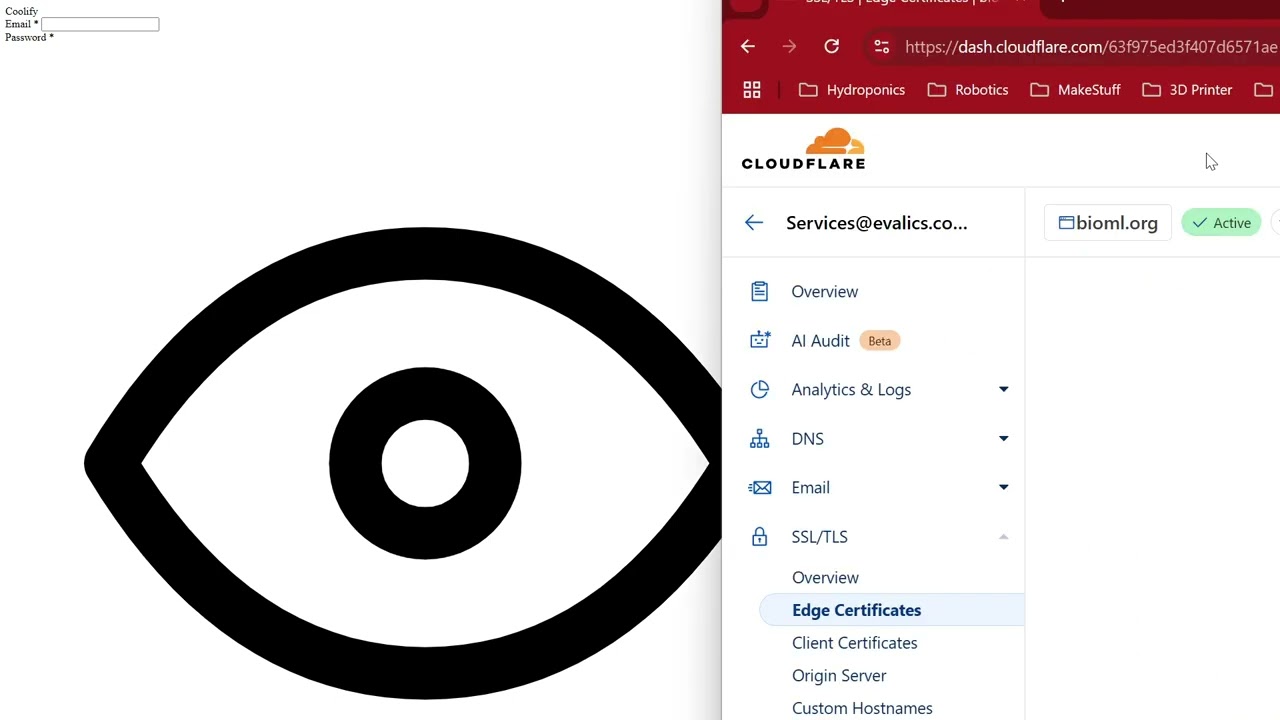
All right so in this video I just want to quickly show you how you can resolve blocked mixed content when you're hosting your coolify application so here I'm self-hosting my kify application and I added a domain but it only partially works so you can see my site is loading but is sort of
Weirdly formatted with this weird eye and you get this message block mix content and there are also some console logs as well and how you solve this is very easy you just go to Cloud flare and under Edge certificate you toggle this one on automatic https rewrites because currently some stuff for example
CSS is trying to be served under HTTP and with this setup it will be always https so now if we refresh we see the normal coolify login and that's it thank you very much and have a good day bye
Watch on YouTube: https://www.youtube.com/watch?v=ZybllTNlrHc