Make an AI Agent That Improves Itself in 1 Minute
A one-minute pattern to let any agent critique and improve its own prompt. Demoed in Langflow, reusable on other platforms.
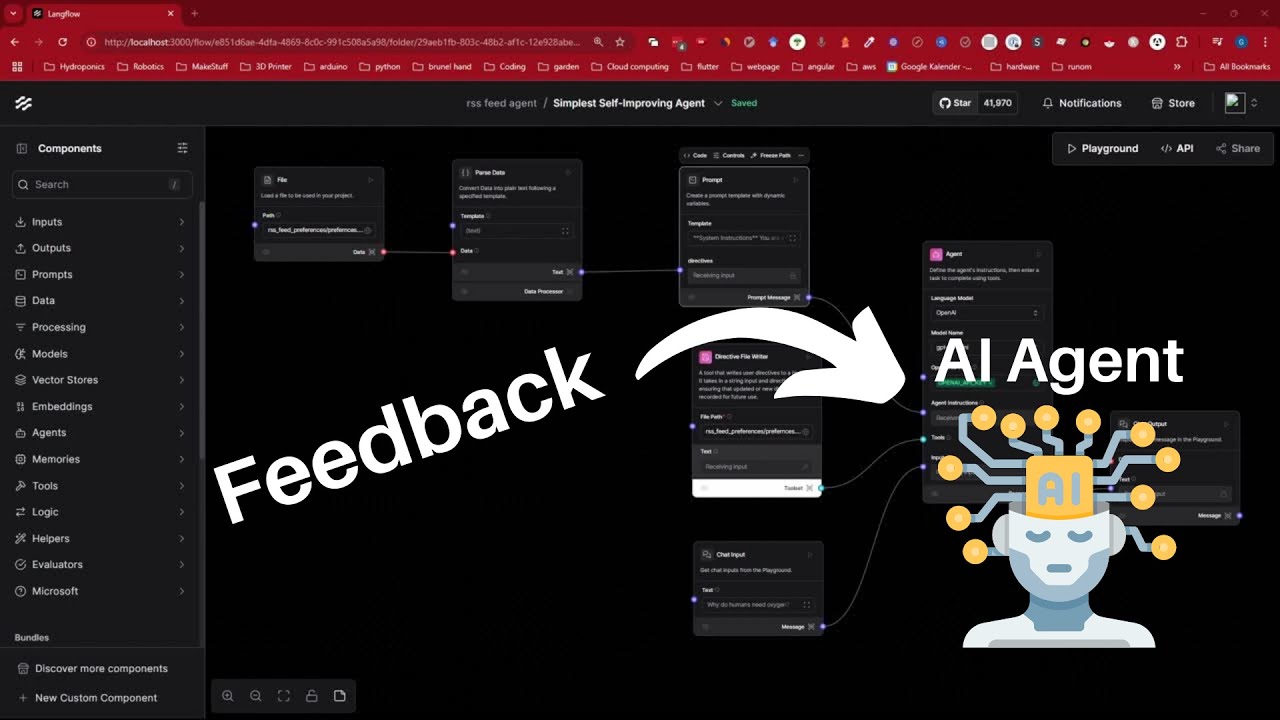
Make an AI Agent That Improves Itself in 1 Minute
Key takeaways
- Store user preferences in a simple text file the agent can read and write.
- Inject that file into the system prompt on every turn so preferences persist.
- The same pattern works outside Langflow on any agent platform.
Related guide
Agentic AI in n8n multi-agent workflowsFull transcriptShow
Edited from auto-captions for readability. Matches what is said in the video.
In this video I'll show you the easiest way to create an AI agent that improves itself using your feedback and it is so simple it will blow your mind all you need is an agent a prompt and be able to write and read from a text file yes ladies and gentlemen a text
File we're not going Fancy with our scalable kubernetes database cluster we just need a simple text file now here's how it works we prompt the agent to detect user preferences and write them to file then in our system prompt we will always read the preferences from the file so they are always up
To date again we are basically delegating all the work to the agent so we're telling the agent hey if you detect some user preferences be it implicitly or explicitly stated by the user save them into this file and now then our workflow is set up in a way that it will always retrieve
The information from the file into the system prompt and that's it so let's put it to the test let's ask a question why do humans need oxygen great now let's pull up the text file next to it so you can see the agent writing to the file directly now let's give it some
Directives or preferences let's say always give a Hau style answer and bada Bim bada boom it recognize the preferences and roll it directly to file now let's say always finish your response with an emoji and again it recognized it and updated my preferences now to really make sure that it worked we will
Create a new chat window without any any message history and now I won't say any preferences but it should load them from the file and adjust the response accordingly so fingers crossed and it works like a Chum anyway that's it for now you can apply this principle anywhere to quickly upgrade your agent
To a self-improving agent which listens to your feedback and if you want to see more about agents or any educational cont content let me know in the comments below until then bye-bye and have a great day
Watch on YouTube: https://www.youtube.com/watch?v=i9s2oDi9HsE