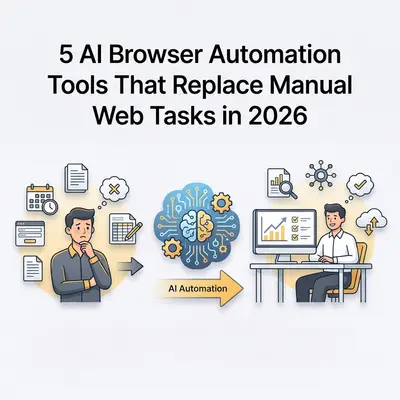
If you are looking for the best browser automation tools 2026 has to offer, you will find tools that let an AI model drive the browser instead of relying only on fragile, hand-written scripts. Some of them are vision-based and identify a button by what it looks like on screen rather than by a CSS selector, so a layout change that breaks a selector-based script may not affect them. The main appeal of this category is lower maintenance for selector-based automation, not raw speed.
In this guide, I describe five approaches and attribute each factual statement to the vendor's own repository or documentation. Most of them are developer tools, so expect to write some code. Pricing changes often, so the pricing rows link to each vendor instead of quoting figures.
1. Browser Use: Open-Source Browser Agent
Browser Use describes itself as "the open-source browser agent". You can run it locally with the LLM of your choice or on its hosted Browser Use Cloud (source: project README).
| Feature | Detail |
|---|---|
| Task input | Natural language, passed to an agent in Python |
| Deployment | Local Python library, or hosted Browser Use Cloud |
| Pricing | The library is open source; for cloud pricing see browser-use.com |
| Best for | Developers building custom automation pipelines |
For current setup code and supported models, follow the project README rather than copying older snippets.
2. Stagehand: Typed Steps for Browser Automation
Stagehand (by Browserbase) is MIT-licensed and exposes three AI-assisted primitives: act(), extract() and observe() (source: project README). Instead of one large instruction, you script the task step by step and use AI for the individual steps.
| Feature | Detail |
|---|---|
| API style | Step-by-step primitives (act, extract, observe) |
| Model | Configurable, you supply your own model API key |
| Language | TypeScript; the README also shows Python |
| Pricing | Library is open source; for Browserbase cloud pricing see browserbase.com |
| Best for | Developers who want scripted control with AI for individual steps |
Because each step is a separate call, you can test and log steps individually.
3. Magnitude: Vision-First Browser Agent
Magnitude is an open-source (Apache 2.0), vision-first browser agent. According to its README, it uses a visually grounded model to control the browser with natural language, and it includes a test runner with visual assertions (source: project README).
| Feature | Detail |
|---|---|
| Approach | Vision-first, a visually grounded model specifies pixel coordinates |
| API style | TypeScript, with act() and extract() |
| Model | Requires a large visually grounded model; the README recommends Claude Sonnet 4 |
| Pricing | Open source; model usage is billed by your model provider |
| Best for | Developers automating or testing sites with no API |
Magnitude is a developer framework, not a no-code tool.
4. Claude Computer Use: Screenshot, Mouse and Keyboard Control
Anthropic's computer use tool gives Claude screenshot, mouse and keyboard control of a desktop environment, so it can work across applications and not only in a browser (source: Anthropic documentation).
| Feature | Detail |
|---|---|
| Scope | A desktop environment you provide, such as a container or virtual machine |
| Integration | Anthropic API, you handle the tool calls or use an SDK toolset |
| Pricing | Standard Claude API tool-use pricing, see the documentation |
| Best for | Tasks that span a browser and desktop applications |
Anthropic recommends running it in a dedicated virtual machine or container with minimal privileges and keeping sensitive data such as login credentials out of reach.
Related: Introduction to Claude Code and Agentic CLI Tooling
5. n8n and Puppeteer MCP: Browser Tasks Inside Workflows
n8n has an official MCP Client Tool node (n8n documentation). The Puppeteer MCP server provides browser automation tools for LLMs, including navigation, screenshots and JavaScript execution (source: MCP servers repository). Note that this server now lives in the archived servers repository, and its README warns that it can access local files and local or internal IP addresses.
| Feature | Detail |
|---|---|
| Interface | n8n visual workflow editor |
| Browser engine | Puppeteer, through the MCP server |
| Pricing | n8n: see n8n.io/pricing |
| Best for | Teams already running n8n who want browser steps in the same workflow |
Illustrative workflow (not a tested template):
- Trigger: every Monday at 8 am
- Browser step: log into the supplier portal and collect the weekly prices
- AI step: compare with last week and flag changes above a threshold you choose
- Slack step: send a summary to your procurement channel
How Do the Five Tools Compare?
| Tool | Code Required | Pricing |
|---|---|---|
| Browser Use | Yes (Python) | Open source; cloud pricing on vendor site |
| Stagehand | Yes (TypeScript) | Open source; cloud pricing on vendor site |
| Magnitude | Yes (TypeScript) | Open source |
| Claude Computer Use | Yes (API) | Standard Claude API pricing |
| n8n + Puppeteer MCP | Low (visual, plus MCP setup) | See n8n pricing |
How Do You Choose the Right AI Browser Automation Tool for Your Workflow?
- You are a developer and want full control: Browser Use, Stagehand or Magnitude
- Tasks span browser and desktop apps: Claude Computer Use
- Already using n8n for other automation: n8n with an MCP server
Also relevant: Stagehand vs. Browser Use vs. Magnitude: Which AI Browser Agent Should You Use in 2026? goes deeper on three of the frameworks compared here. 7 MCP Servers Worth Installing for Business Automation in 2026 — the Puppeteer MCP server covered there pairs directly with these browser automation approaches.
Want to automate a specific manual web workflow in your business? Talk to the Evalics team about building a reliable browser automation pipeline.