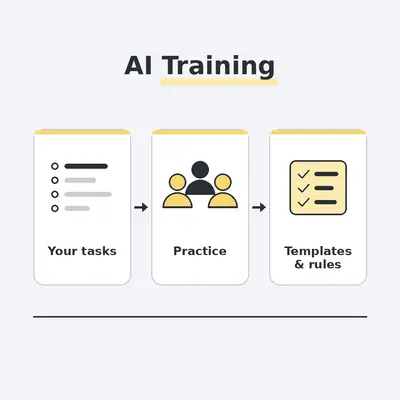
The licenses are bought, the kick-off has happened, and a few weeks later two or three people on the team use AI regularly. Everyone else tries it now and then and drifts back to old habits. That is rarely a motivation problem. Usually something more practical is missing: tasks that fit the team's own work, clear rules for data, and an answer to the question of when a result can be trusted.
This guide describes what AI training for teams should deliver, what you need to settle beforehand, and how to recognise a serious offer. It is written for managing directors, team leads, and anyone organising AI upskilling for their company.
Why a prompt workshop rarely suffices
Half a day of tips on writing prompts feels good in the moment. Afterwards, little changes in daily work, and there are typical reasons for that:
- The examples are not your own. What works on a demo text does not automatically carry over to your team's quotes, reports, or customer emails.
- Nobody knows what is allowed. Without clear rules on which data may go into which tool, the careful people avoid AI altogether and the bold ones use it too freely.
- Results are unreliable. Without good templates and fixed review steps, quality varies, and the first bad result costs trust.
- The knowledge stays with one person. Whoever engages most becomes the go-to for everyone. The team as a whole does not learn.
Training that takes this seriously is less a tour of tools. It works on the tasks your team does every week.
What to settle beforehand: goals, roles, data
Before anyone books a date, a short clarification pays off. It does not take long and decides whether the training sticks.
Goals. Which two or three tasks should get faster or better? "Use more AI" is not a goal. "Prepare quote drafts in half the time" is one, as long as you roughly note the current time first. Prefer a few concrete goals over many vague ones.
Roles. Who on the team does which tasks? Sales, accounting, project management, and assistants do not need the same thing. Also decide who owns the topic, meaning who documents access, rules, and the contact person. One person is better than a committee.
Data. This is where it is decided whether AI can be used safely in your company. A practical baseline: work with test data first. Real customer data only comes in once a data processing agreement under GDPR is in place, and preferably with hosting in the EU. Write down which data may go into which tool and which tasks are always reviewed by a human. For tasks that should not be left to AI alone, see the post 7 Business Tasks You Should Never Trust an AI to Do Unsupervised.
Tools. Start with what your company has already licensed. That lowers the bar and avoids needing new contracts before training can even begin.
Note: is AI training mandatory?
Article 4 of the EU AI Act requires providers and deployers of AI systems to take measures to support the AI literacy of their staff. The obligation has applied since 2 February 2025, and supervision by national authorities starts on 2 August 2026. Which measures are appropriate depends on prior knowledge and the purpose of use. The regulation does not require a specific level of AI literacy for any individual. You can find the official summary at the EU Commission's AI Act Service Desk. This is not legal advice.
Three formats: overview, role-specific, on your own process
"AI training" often means very different things. It helps to tell three formats apart:
- Overview for everyone. What AI tools can and cannot do, which data rules apply, where human review is needed. This is the shared foundation and should be short and clear.
- Role-specific. The sales team works on different tasks than accounting. Here the focus is on examples and templates for each function.
- On your own process. The team brings real tasks and solves them together using approved tools. This format has the strongest link to daily work, because the outcome is not just knowledge but a result you can use.
At Evalics we work like this: we collect the real tasks before the first session and solve them in workshops and one-to-one sessions, using the tools your team already uses. A generic tool tour is not part of it. You can read more on the page about AI training for companies and teams.
Learning paths and progress: how you notice it works
A learning path is nothing complicated. For each role it describes the order: shared basics, then a first real task, then routine in daily work. The clearer the path, the less learning depends on chance.
The best way to measure progress is behaviour, not quiz scores:
- Usage. Which tasks are actually done with AI, and how often?
- Adoption. How many people on the team use the tools regularly, not just the enthusiasts?
- Feedback. What do users say: what works, where does it stall, what is missing? Ask in a structured way, ideally with the same three or four questions each round.
- Time on selected tasks. For two or three tasks, roughly note how long they take beforehand and compare later. This needs no software, a simple list is enough.
Do not rely on blanket promises such as "X percent time saved". How much a team gains depends on its tasks, and you can only read that from your own numbers.
What has to happen after the training
The most important part begins when the workshop is over. To make sure the learning stays in daily work:
- Templates, checklists, and data rules stay with the team. Prompt templates for recurring tasks, a checklist for human review, and a one-page rule on which data goes where. This is what actually gets used after the session.
- There is a contact person. Questions come up after the workshop, not during it. Someone has to pick them up and make the answers visible to everyone.
- Short drop-ins instead of big follow-up sessions. Regular, short office hours or one-to-one conversations help more than a second big workshop, because they start from current tasks.
- Rules and templates are maintained. After a few weeks, take a look at which templates are used, which are not, and which tools have been added.
How to recognise a serious offer
When you compare offers for AI upskilling, these questions help:
- Does it work with your team's real tasks, or with standard examples?
- Does it work with the tools you already have, or does it first sell you something new?
- Are there clear rules on which data may go into which tool and which results must always be reviewed?
- Does your team get material it keeps using afterwards, such as templates and checklists?
- Are format, number of participants, and scope stated clearly before you book?
- Does the provider avoid number promises it cannot possibly know for your situation?
A certificate or a well-known name says little about whether your team works differently afterwards. The answers to these questions say more.
Next step
Collect two or three tasks that cost your team the most time, and find out which tools are already approved. With that list, any training can be planned better, whoever delivers it.
If you want to tackle it together: in the free intro call we look at your tasks and tell you honestly which format makes sense. All details on our offer are on the page AI training for companies and teams. If the first question is where AI makes sense in your processes at all, you will find that offer under AI consulting. The post The Automation Mindset also shows how to spot suitable tasks.