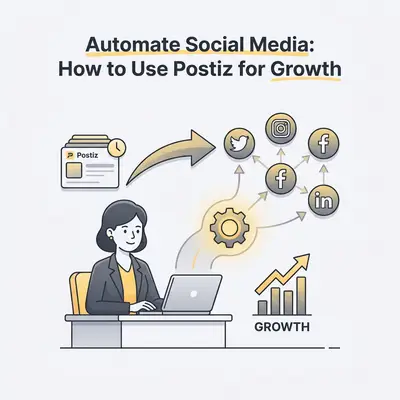
Automating social media is the practice of using software to schedule, publish, and manage content across multiple platforms without manual intervention. For small business owners, this shift is essential.
Why Should Small Businesses Automate Social Media?
Automating social media allows you to maintain a consistent online presence without spending hours daily on manual posting. By using tools like Postiz, you reclaim time for core business operations while ensuring your brand stays top-of-mind for customers through scheduled, high-quality content delivery across multiple platforms simultaneously.

What Is Postiz and How Does It Empower SMBs?
Postiz is an AI-powered social media management platform designed to streamline content creation, scheduling, and analytics for lean teams. It acts as a centralized hub where you can draft posts, leverage AI to generate captions, and automate your publishing calendar, effectively replacing the need for multiple disparate social media tools.
How Do You Set Up Your Postiz Account for Success?
Setting up Postiz correctly ensures your automation workflows are stable and aligned with your brand voice. By connecting your social accounts and configuring your AI preferences early, you create a foundation that allows the software to handle the heavy lifting of content distribution while you focus on high-level strategy.
- Create your account and navigate to the "Connections" tab.
- Authenticate your business profiles (LinkedIn, Instagram, X, etc.).
- Define your brand voice and tone settings in the AI configuration menu.
- Set your preferred time zones to ensure posts hit during peak engagement.
- Invite team members if you have a collaborative workflow.
- Connect your media library or cloud storage for easy asset access.
How Can You Use AI to Streamline Content Creation?
Postiz integrates AI to turn simple ideas into polished, platform-specific posts in seconds. Instead of staring at a blank screen, you input a topic or a link, and the AI generates engaging captions, hashtags, and even image suggestions, significantly reducing the time spent on the creative phase of social media management.
Pro Tip: Use the "AI Rewrite" feature to repurpose one blog post into five unique social media updates for different platforms.
How Do You Build an Automated Posting Schedule?
Building an automated schedule involves mapping out your content calendar and letting Postiz handle the delivery. By utilizing the "Queue" feature, you can set specific time slots for different types of content, ensuring a balanced mix of promotional, educational, and community-building posts without manual intervention.
- Access the "Calendar" view in your Postiz dashboard.
- Select "Add Post" and choose your target platforms.
- Upload your visual assets or generate them using the AI tool.
- Draft your caption and add relevant hashtags.
- Choose "Add to Queue" to let the system pick the next available slot.
- Review your weekly calendar to ensure a balanced content mix.
What Are the Common Pitfalls to Avoid When Automating?
The most common pitfall is "set it and forget it" syndrome, where businesses automate content but ignore community engagement. Automation should handle the distribution, but you must still monitor comments and messages to build relationships; otherwise, your brand will appear robotic and disconnected from your actual audience.
Reality Check: Automation is a tool for efficiency, not a replacement for human connection. Always review your analytics to ensure your automated content is actually resonating.
How Do You Measure Growth and Optimize Performance?
Measuring growth requires analyzing the performance data provided by Postiz to see which posts drive the most traffic and engagement. By reviewing these metrics monthly, you can identify high-performing content themes and double down on what works, ensuring your automated strategy is constantly evolving to meet your business goals.
![_ [GRAPH] Column chart. Before Automation - 10 Hours/Week. After Automation - 2 Hours/Week. Chart title: Weekly Time Spent on Social Media at top. Alt text: Column chart showing time savings from automation: 10 hours before vs 2 hours after](/blogs/automate_social_media/-graph-column-chart-before-automation-10-hoursweek-400w.webp)
Next Steps for Your Social Media Strategy
To get the most out of your new automated setup, start by auditing your current content performance. Identify your top three posts from the last quarter and use the Postiz AI tools to create variations of those themes for the coming month. Consistency is the primary driver of algorithm favorability, so prioritize filling your queue for the next 30 days before moving on to more complex engagement workflows.
Related Resources
- automate-social-media-scheduling-small-business — Automate Social Media: 5 Ways to Save Hours Weekly
- repurposing-linkedin-posts-to-x-guide — Repurposing LinkedIn Posts to X: A Simple Guide for 2025
- streamline-social-media-scheduling-with-n8n — Automate Social Media: 5 Ways n8n Saves You Time