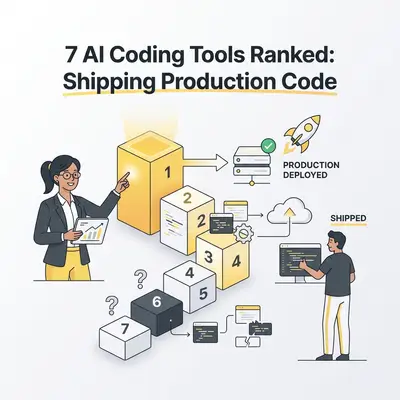
The term "vibe coding" landed in the mainstream in 2025 and has not left. By early 2026, most development teams—professional or not—have experimented with at least one AI coding assistant. The question has shifted from "should I use one?" to "which one actually ships working code?"
This ranked list evaluates seven of the most-used AI coding tools in 2026 based on four criteria: production readiness, context handling, ease of use, and value for money. The rankings reflect real-world usage in business and automation contexts, not synthetic benchmarks.
Note: This space moves fast. Tool capabilities described here reflect the state as of March 2026. Always verify pricing and feature availability in current documentation before purchasing.
What "Production Ready" Actually Means
Not all vibe coding is created equal. There is a meaningful difference between tools that help you write a script and tools that help you ship a system that runs reliably in production.
Production readiness means:
- Generated code handles edge cases, not just the happy path
- Error handling, logging, and retry logic appear without having to specifically prompt for them
- Security issues such as SQL injection, exposed credentials, and improper authentication are flagged or avoided by default
- Multi-file changes stay coherent and do not introduce regressions
- The tool can reason about existing codebases, not only generate code from scratch
Most tools in this list are excellent for prototyping. Fewer are strong all the way through to production deployment. The rankings weight production readiness heavily because that is where tools either deliver real business value or create technical debt.
The 7 Tools Ranked
1. Claude Code — Best for Agentic Terminal Workflows
Claude Code is Anthropic's CLI-based coding agent. It differs from the IDE-based tools because it operates directly in the terminal, reads and writes files, runs tests, manages git, and executes shell commands—all autonomously within an agentic loop.
What makes it different: Claude Code does not merely suggest code. It executes changes. You give it a task such as "add pagination to this API endpoint and update the tests," and it works through the codebase, makes the changes, runs the test suite, reads the output, and iterates until the tests pass. This full agentic loop—plan, act, observe, revise—is its defining feature.
Production readiness: High. Claude Code reads full codebases, understands context across files, and writes code that fits existing patterns rather than generating isolated snippets. Its security scanning capability, which flags vulnerabilities in existing code, is a differentiator for business use. It integrates cleanly with CI pipelines and existing development tooling. For a full breakdown of its capabilities, see Introduction to Claude Code: The Agentic CLI Tool.
Best for: Development teams that want a terminal-native AI coding agent, automation of repetitive code changes across large codebases, security auditing workflows, and multi-step engineering tasks that cross file and system boundaries.
Pricing: Usage-based via the Anthropic API. Claude Sonnet 4.6 is the recommended model. Approximately $20-40 per month for typical individual developer usage. Included in Claude Pro plans with usage limits.
Limitations: No visual IDE interface. Requires comfort with the command line. Best results come from Claude Sonnet 4.6 or higher models, which carry API cost.
| Criterion | Rating |
|---|---|
| Production Readiness | ★★★★★ |
| Context Handling | ★★★★★ |
| Ease of Use | ★★★☆☆ |
| Value for Money | ★★★★☆ |
2. Cursor — Best for Existing Large Codebases
Cursor is a VS Code fork rebuilt around AI-first interactions. Its Composer feature lets you describe changes in natural language and apply them across multiple files simultaneously, using full codebase context rather than just the currently open file.
What makes it different: Cursor indexes your entire codebase and uses that context for every suggestion and change. When you ask it to "add rate limiting to all public API routes," it knows where all your routes are, what your existing middleware looks like, and how to write the implementation in the style your codebase already uses. This codebase-awareness separates Cursor from tools that treat each file in isolation.
Production readiness: High. Cursor generates idiomatic code that fits your existing patterns, handles multi-file refactors cleanly, and integrates with your existing testing and linting setup without friction. The "Cursor Rules" system allows teams to enforce coding standards and project-specific conventions at the AI level—a significant advantage for team environments.
Best for: Professional developers working in large, established codebases. Teams with existing VS Code workflows. Complex refactors, feature additions to production systems, and onboarding to unfamiliar codebases.
Pricing: Free tier available. Cursor Pro at $20 per month. Business tier at $40 per user per month.
Limitations: Resource-heavy for very large repositories. Performance can degrade on monorepos with millions of lines. The VS Code dependency means Cursor users tied to other editors face a migration decision.
| Criterion | Rating |
|---|---|
| Production Readiness | ★★★★★ |
| Context Handling | ★★★★★ |
| Ease of Use | ★★★★☆ |
| Value for Money | ★★★★☆ |
3. Windsurf — Best for Autonomous Multi-File Sessions
Windsurf (from Codeium) positions itself as an IDE built for flow-state AI coding. Its Cascade feature maintains context across long multi-step coding sessions and autonomously works through multi-file changes without requiring constant human steering.
What makes it different: Windsurf's Cascade is designed for longer autonomous work sessions. You describe a task at a high level, and Cascade breaks it down, plans the implementation, executes changes across files, and checks in when it genuinely needs input—rather than interrupting at every step the way many AI tools do. This makes it feel less like using a tool and more like working alongside a junior developer who can handle a full feature independently.
Production readiness: High. Windsurf handles production workflows well, particularly for new feature development within an established architecture. Its automatic context management reduces the risk of context drift during long sessions, which is a common failure mode in competitors when working on complex tasks.
Best for: Developers who want less back-and-forth with the AI and more autonomous execution. Building new features within existing projects. Teams that found Cursor too manual for complex, multi-file tasks.
Pricing: Windsurf Free tier available. Windsurf Pro at $15 per month—often cited as the best value in this category. Teams plan available for organization-wide deployment.
Limitations: Slightly less mature ecosystem than Cursor. Fewer third-party integrations. Some reported inconsistency on very complex architectural refactoring tasks requiring deep business domain knowledge.
| Criterion | Rating |
|---|---|
| Production Readiness | ★★★★☆ |
| Context Handling | ★★★★★ |
| Ease of Use | ★★★★★ |
| Value for Money | ★★★★★ |
4. GitHub Copilot — Best for GitHub-Ecosystem Teams
GitHub Copilot has evolved significantly from its autocomplete origins. Copilot Workspace now converts GitHub issues directly into pull requests, making it a full task-to-code pipeline within the GitHub ecosystem.
What makes it different: The tight GitHub integration is unmatched by any competitor. If your development workflow centers on GitHub issues, pull requests, and code review, Copilot Workspace turns a task description into an implementation plan and then into a PR—all inside GitHub's native interface. For teams already living in GitHub, this reduces context switching to near zero.
Production readiness: Good. Copilot generates solid code for most standard tasks, and its suggestions have improved substantially with the GPT-5-series model upgrade. The Workspace PR generation often requires review and cleanup before merging, but it produces a useful starting point that reduces the blank-page problem significantly.
Best for: Teams deeply embedded in the GitHub ecosystem. Organizations that want AI coding within existing GitHub workflows without adding new tools or changing IDEs. Teams with existing GitHub Enterprise licenses where Copilot is included.
Pricing: Free tier with limited completions. Copilot Pro at $10 per month. Copilot Business at $19 per user per month, included in many GitHub Enterprise agreements.
Limitations: Weaker at codebase-level context than Cursor or Windsurf. IDE experience outside VS Code remains more limited. Less capable for complex multi-file tasks compared to the top three tools. The workflow optimization is specific to GitHub and does not transfer to other platforms.
| Criterion | Rating |
|---|---|
| Production Readiness | ★★★★☆ |
| Context Handling | ★★★☆☆ |
| Ease of Use | ★★★★☆ |
| Value for Money | ★★★★★ |
5. Bolt.new — Best for Full-Stack Prototypes from Scratch
Bolt.new (from StackBlitz) lets you build, run, and deploy full-stack applications entirely in the browser from a text prompt. There is no local environment setup required—describe the app, and Bolt creates the project structure, installs dependencies, and provides a live preview URL you can share immediately.
What makes it different: Zero-to-running-app speed. Bolt.new is the fastest path from "I have an idea" to "I have a working app I can show someone a URL for." It handles the entire stack in one interaction: frontend, backend, database, and deployment. For non-developers, this compresses what used to take days of setup into minutes.
Production readiness: Moderate. Bolt.new excels at prototypes and MVPs. Code quality is reasonable for small applications but frequently requires significant cleanup and security review before production deployment. It is not designed for working within existing large codebases—it is fundamentally a greenfield tool.
Best for: Non-developers building internal tools, quick prototypes, and MVPs. Demos and proofs-of-concept that need to be visually convincing. Product managers who need to test an idea before involving engineering. Hackathon projects and client demos.
Pricing: Free tier with generous initial token allowance. Bolt Pro from $20 per month.
Limitations: Not suited for existing large projects. Production code quality requires developer review before going live. Less capable for complex business logic and integrations. The browser-based environment means some system-level operations are not available.
| Criterion | Rating |
|---|---|
| Production Readiness | ★★★☆☆ |
| Context Handling | ★★☆☆☆ |
| Ease of Use | ★★★★★ |
| Value for Money | ★★★★☆ |
6. Lovable — Best for Non-Developers Building Web Apps
Lovable (formerly GPT Engineer) focuses on making web application development accessible to users without coding experience. You describe the app you want in natural language, refine it through conversation, and Lovable generates a deployable React application.
What makes it different: Lovable is built for business users and product managers, not developers. Its interface hides the underlying code by default and presents a product-building conversation. When something does not look right, you describe the issue in plain language rather than debugging code. The mental model is closer to briefing a designer than writing software.
Production readiness: Low to moderate. Lovable shines for internal tools and simple SaaS applications where complexity is limited. For applications with complex authentication flows, custom API integrations, or heavy business logic, professional developer review is strongly recommended before going live. Several teams have reported shipping Lovable-built tools internally with strong results; external-facing production use requires more diligence.
Best for: Non-developers building internal tools, simple SaaS MVPs, and prototypes for investor demos. Marketing teams building landing pages with interactive logic. Business owners who need a functional tool but cannot justify a full development contract.
Pricing: Free tier. Pro at $25 per month. Teams plan available for organizations.
Limitations: Code is largely a black box for non-technical users, making debugging difficult if something breaks. Limited control over architectural decisions. Complex integrations often require developer intervention. Not a practical primary tool for professional development teams.
| Criterion | Rating |
|---|---|
| Production Readiness | ★★☆☆☆ |
| Context Handling | ★★☆☆☆ |
| Ease of Use | ★★★★★ |
| Value for Money | ★★★★☆ |
7. Aider — Best for Terminal-Based Open-Source Development
Aider is an open-source AI coding assistant that works in the terminal, integrates with any AI model (Claude, GPT-4o, Gemini, or local models via Ollama), and operates directly on your git repository. It carries no subscription fees, no vendor lock-in, and no GUI.
What makes it different: Aider is the only tool in this list that is fully model-agnostic and free at the tooling level. You bring your own API key, choose your model based on cost or capability, and point Aider at your repository. It reads the files you specify, proposes diffs, and commits accepted changes directly to git. This predictability and transparency make it trustworthy for experienced developers who want precise control.
Production readiness: High when used by experienced developers. Aider does not add scaffolding or make architectural decisions for you—it assists with the code changes you direct. This makes it predictable and suitable for production use when paired with an engineer who reviews changes before they land.
Best for: Developers who prefer terminal workflows, open-source projects, situations where vendor lock-in is a concern, and teams that want model flexibility for cost optimization—for example, using a cheaper model for routine changes and a more capable one for complex tasks.
Pricing: Free and open source. You pay only for AI API usage with your own keys.
Limitations: Steeper learning curve than GUI tools. No built-in codebase indexing—you specify which files to include in each session. No visual interface. Requires API keys for cloud models.
| Criterion | Rating |
|---|---|
| Production Readiness | ★★★★☆ |
| Context Handling | ★★★☆☆ |
| Ease of Use | ★★☆☆☆ |
| Value for Money | ★★★★★ |
Full Comparison Table
| Tool | Production Readiness | Best For | Starting Price |
|---|---|---|---|
| Claude Code | ★★★★★ | Agentic terminal tasks, automation | ~$20/mo via API |
| Cursor | ★★★★★ | Large existing codebases | $20/mo |
| Windsurf | ★★★★☆ | Autonomous multi-file sessions | $15/mo |
| GitHub Copilot | ★★★★☆ | GitHub-ecosystem teams | $10/mo |
| Bolt.new | ★★★☆☆ | Full-stack prototypes | Free / $20/mo |
| Lovable | ★★☆☆☆ | Non-developers building apps | Free / $25/mo |
| Aider | ★★★★☆ | Terminal-first, model-agnostic | Free |
How to Choose the Right Tool
If you are a developer working in an existing production codebase: Start with Cursor or Windsurf. Choose Cursor for more precise control and VS Code familiarity. Choose Windsurf for longer autonomous sessions where you want the AI to work through a full feature independently.
If you want terminal-native agentic coding for automation and DevOps work: Claude Code. Particularly strong for tasks that span testing, linting, security scanning, and deployment alongside code changes.
If your team lives in GitHub and you want low-friction AI integration: GitHub Copilot Workspace adds meaningful capability without disrupting your existing workflow.
If you are not a developer and need to build something functional quickly: Bolt.new for full-stack apps from scratch. Lovable for a more conversational product-building experience.
If you want full model flexibility and zero vendor lock-in: Aider. Free, open source, and compatible with any model including local ones.
The Reality of Vibe Coding in 2026
The productivity gains are real. Teams using these tools consistently report two to five times faster time-to-prototype and thirty to fifty percent less time spent on routine code changes. The catch is that every tool in this list still requires human judgment at the architecture, security, and quality review stages.
Vibe coding tools handle the mechanical parts of coding well. The decisions that require genuine engineering judgment—what to build, how to structure it for maintainability, where the security boundaries are—remain human work. The teams getting the most value from these tools have not eliminated developers. They have freed developers from the tedious parts so they can focus on the work that actually requires expertise.
Want to connect AI coding tools with your business automation workflows? Book a strategy call at evalics.com/contact to discuss how AI development and process automation can accelerate your team.