
Google Antigravity is a conceptual framework designed to streamline web automation by reducing the technical friction of traditional testing scripts. For small business owners, it shifts the focus toward low-code, high-speed testing that ensures your website functions perfectly without requiring a dedicated team of software engineers to maintain complex, fragile automation suites.
Automating web testing allows small businesses to catch critical bugs before they reach customers, saving time and preventing lost revenue. By implementing automated workflows, you ensure that your checkout processes, contact forms, and landing pages remain functional 24/7.
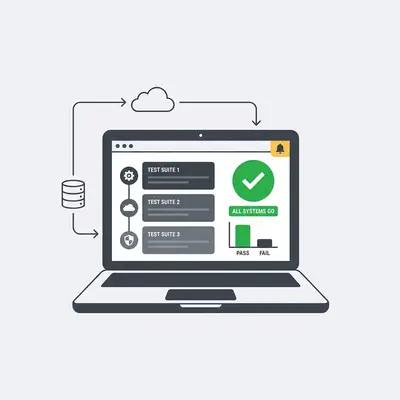
Why Should Small Businesses Automate Web Testing?
Automating web testing is the most effective way to protect your digital revenue stream. When you rely on manual checks, you inevitably miss edge cases that lead to abandoned carts or broken lead forms. Automated systems provide consistent, objective verification of your site’s health, allowing your team to focus on growth rather than manual quality assurance.
How Do You Set Up Your First Automated Test Using Antigravity?
Setting up automated testing involves configuring your environment to simulate user behavior across various browsers and devices. By following a structured approach, you can move from manual checks to a fully automated pipeline that alerts you the moment a critical site element fails to load or function correctly.
- Define your critical user paths, such as "Add to Cart" or "Contact Form Submission."
- Install the Antigravity CLI tool via your terminal or dashboard.
- Map your website’s URL structure to the automation engine.
- Record your first user session to create a baseline test script.
- Configure automated triggers to run tests after every site update.
- Set up notification alerts for failed test scenarios.
- Review the generated performance reports to identify bottlenecks.
Pro Tip: Start by automating only your highest-traffic pages to see immediate ROI before scaling to your entire site.
What Are the Common Pitfalls When Automating Web Tests?
The most common pitfall is over-automating non-critical elements, which leads to "brittle" tests that break whenever minor design changes occur. SMBs often fail by trying to test every single pixel rather than focusing on the core business logic, such as payment processing and lead capture forms. Focus on what drives revenue first.
How Do You Maintain Your Automated Testing Suite?
Maintaining your suite requires a "test-as-you-go" mentality where you update your automation scripts whenever you push a significant UI change. By integrating your testing suite with your deployment process, you ensure that your automation remains synchronized with your live site, preventing false positives and outdated test data.
Reality Check: Automation is not a "set it and forget it" solution. If you change your site's navigation or checkout flow, your tests must be updated to reflect those changes, or they will trigger unnecessary alerts.
How Can Evalics Help You Scale Your Automation Strategy?
Evalics bridges the gap between complex automation technology and small business needs by providing managed AI-driven testing solutions. We handle the technical heavy lifting of maintaining your Antigravity scripts, allowing you to focus on your business while we ensure your digital storefront is always optimized and error-free.
Key Insight: The goal of automation is to remove the burden of maintenance from your plate. If your testing suite requires more time to manage than it saves, you are likely over-engineering your approach.
Ready to automate? Contact Evalics today for a free audit of your current web testing workflow. We will help you identify the most critical paths to secure and show you how to implement a sustainable, low-maintenance testing strategy that grows with your business.