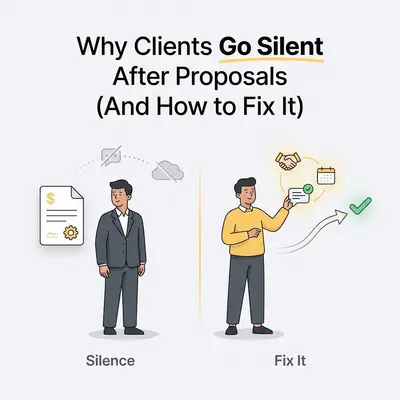
Clients usually go silent after receiving a proposal because the document creates friction, lacks clear pricing context, or fails to define an immediate next step. When a proposal feels overwhelming, vague, or incomplete, prospects default to inaction rather than asking for clarification, causing your deal to stall.
This quiet fade is not an explicit rejection. It is a sign that your proposal forced the client to do the heavy lifting of figuring out what happens next.
Key Insight: Silence is almost never about your service quality. It is a defense mechanism buyers use when faced with cognitive overload or unexpected pricing friction.
Why Do Clients Go Silent After Receiving a Proposal?
A sales proposal is a decision-making tool, not just a service breakdown. When prospects freeze, it is usually because the document introduced unexpected financial structures, forced complex choices, or left the operational handoff completely undefined.
1. The Shock of Unexpected Pricing Structures
When a prospect opens a proposal and sees a price tag or fee structure they never discussed during discovery, their brain pauses. This price shock happens when you present flat rates, scope retainers, or setup fees without pre-qualifying the client's budget constraints first.
If the number is significantly higher than they anticipated, buyers rarely write back immediately to negotiate. Instead, they put the document aside to figure out their budget, consult internal stakeholders, or evaluate alternatives. That delay quickly turns into radio silence.
2. High Cognitive Load and Overly Complex Options
Presenting five different package options or a dense list of a la carte line items creates analysis paralysis. Small business owners make hundreds of operational decisions daily and will resist spending 30 minutes parsing a convoluted proposal.
When you offer too many variables without a recommended starting point, the buyer has to weigh trade-offs alone. Faced with high cognitive effort, they defer the decision until "later," which usually means never.
3. Missing Clear Ownership and Next Steps
A proposal that ends with a vague closing line like "Let me know what you think" leaves the ball entirely in the client's court. It forces the buyer to figure out who needs to approve the project, how to execute the agreement, and when work can actually begin.
Without an explicit call to action, an embedded signature block, or a scheduled review meeting, the proposal lacks momentum. The prospect views reading it as an open-ended task rather than a gateway to solving their business problem.
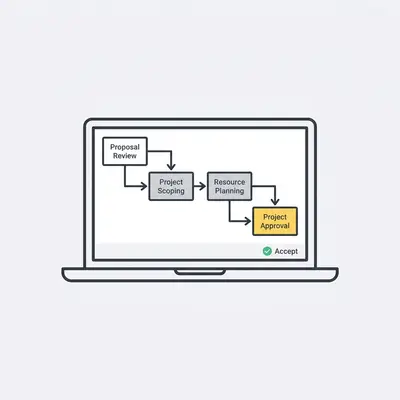
How Can You Prevent Clients From Going Silent After Proposals?
You can prevent clients from going silent by transforming your proposal process into a collaborative, structured workflow that addresses objections before the document is ever sent. Following a systematic approach ensures the prospect feels aligned, informed, and guided toward a quick decision.
Step 1: Conduct a Pre-Proposal Alignment Call
Never send a proposal completely cold without verbally confirming the budget, timeline, and exact scope parameters first. Run a 15-minute alignment call or spend the final ten minutes of your discovery meeting reviewing concrete numbers.
Use a direct validation prompt to catch pricing objections early:
"Based on our discussion, a custom build for this pipeline will run between $4,000 and $5,500 depending on the integrations. Is that figure aligned with what you set aside for this project?"
If the client hesitates during this call, address the scope or terms live on the phone. Once they verbally agree to the estimated range, you eliminate the risk of price shock when the document arrives.
Step 2: Establish a Mutual Action Plan and Timeline
A Mutual Action Plan (MAP) shifts the conversation from a one-sided sales pitch to a shared project roadmap. Outline exact milestone dates for both parties right inside the proposal overview.
Specify deadlines for document signature, deposit payment, kick-off meeting, and initial delivery. When prospects see a clear operational timeline, they realize that delaying their signature pushes back their project launch date.
Step 3: Offer Tiered, Modular Pricing Options
Limit your proposal to a maximum of three clearly defined tiers: essential, recommended, and advanced. Use the middle tier as your target scope, and label it clearly as the recommended choice for their specific business goal.
Tiered options change the buyer's internal mindset from "Should I work with this vendor?" to "Which option best fits our current capacity?" This framework gives budget-conscious clients a safe way to downscope without abandoning the deal entirely.
Step 4: Include Interactive and Self-Signing Elements
Remove every mechanical barrier between reading the proposal and closing the deal. Use modern proposal platforms that embed digital signature fields and instant credit card or ACH payment processing directly into the document view.
When a client can approve the scope and settle the deposit in a single browser session, you eliminate the friction of printing, scanning, or waiting for invoices.
Quick Win: Combine your e-signature block and initial invoice link on the final page of your web proposal. Streamlining these two steps can cut days off your signature cycle.
Step 5: Automate Multichannel Follow-Up Workflows
If a client does not sign within 48 hours, do not rely on manual memory to follow up. Build an automated multi-touch workflow using an automation engine like n8n or Make that triggers personalized reminders across email and SMS.
[Proposal Sent Event]
       │
       ▼
Wait 48 Hours ──(If Unsigned)──► Send Email: "Any questions on Scope Option 2?"
       │
       ▼
Wait 72 Hours ──(If Unsigned)──► Send SMS: "Hey [Name], quick question on project start dates."
       │
       ▼
Wait 4 Days  ──(If Unsigned)──► Create Task in CRM for Account Rep Call
To learn more about connecting your pipeline tools without expensive software fees, see our guide on how Zapier is taxing your growth and your n8n escape plan.
Step 6: Implement Proposal Tracking and Engagement Analytics
Static attachments give you zero visibility after you click send. Instead, host your proposals on web-based platforms that provide real-time engagement analytics and instant view notifications.
Track which pages the prospect views, how many times they open the link, and how long they spend reviewing your pricing matrix. If a client spends four minutes looking at the core pricing section without signing, reach out immediately with specific clarification on package deliverables.
Step 7: Schedule the Proposal Review Meeting in Advance
Never send a proposal over email without booking a review meeting first. At the end of your discovery call, lock in a 20-minute calendar block two days out to go through the proposal together.
Say to the client: "I will put the scope options together and send them over by tomorrow afternoon. Let's get 15 minutes on the calendar for Thursday at 2 PM so we can walk through any questions together and adjust the scope if needed."
If the client cancels or misses that review session, you have an immediate operational signal that their interest level has dropped, allowing you to intervene early.
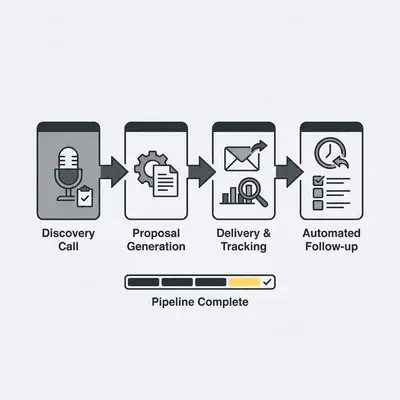
What Are the Most Common Proposal Pitfalls That Drive Clients Away?
The most common proposal pitfalls include sending documents as static PDFs without tracking, failing to establish budget expectations before writing, and waiting too long to deliver the document. These mistakes increase buyer friction and lower your close rate significantly.
Delaying Proposal Delivery Past the 48-Hour Window
Sales momentum fades rapidly after a live call. When you wait four or five days to send a proposal, the prospect's sense of urgency cools off, and competing operational priorities take over their calendar.
Draft your core proposal templates in advance so you can deliver customized documents quickly.
Pro Tip: Build a modular content library inside your CRM or document builder containing pre-written case studies, standard service scopes, and pricing blocks. This lets you generate bespoke proposals in under 20 minutes.
Hiding the Call to Action at the Bottom of the Page
Placing your acceptance button at the very end of a dense, 15-page document forces buyers to scroll through pages of boilerplate text just to accept the quote.
Include a persistent sticky header or a direct action button at the top of web proposals. Allow returning buyers who already discussed details on the phone to jump straight to signing.
Reality Check: Length works against you here. Proposify's State of Proposals 2026 reports that winning proposals average 11 pages while losing ones average 13, and that winning proposals average 7 sections. Every extra page and section you add is one more thing standing between your buyer and the signature.
Sending Static PDFs Instead of Interactive Web Links
PDF attachments create massive friction on mobile devices. They require pinch-to-zoom reading, lack native payment integration, and leave you completely blind to prospect engagement.
If a buyer opens a PDF proposal on their phone during a commute, they cannot sign or pay easily. They mark the email unread, set it aside, and frequently forget about it entirely. Transitioning to responsive web links ensures your document renders cleanly on any screen size.
Mechanism: Replacing PDF attachments with tracked web pages that contain embedded e-signatures removes mobile viewing friction. The buyer reads the proposal and signs it on the device already in their hand, instead of hunting for a desktop to open an attachment.
What Checklist Ensures Your Proposal Is Ready to Send?
A complete proposal readiness checklist ensures you have eliminated all common friction points before reaching out to the prospect. Reviewing these key elements guarantees that your proposal is clear, persuasive, and actionable.
The Pre-Send Proposal Quality Checklist
- Discovery key takeaways and goals are summarized on page one
- Pricing options are clearly outlined with scope boundaries
- Interactive e-signature and payment links are embedded
- Automated follow-up reminders are scheduled in your CRM
- A formal proposal review meeting is booked on the client's calendar
By shifting from static email documents to a streamlined, automated proposal system, you eliminate buyer confusion and maintain full control of your sales pipeline. If you want to streamline your entire client acquisition pipeline further, read our guide on how to automate client onboarding from paid invoice to welcome packet.
Next Steps for Your Business
To stop losing deals to silence, audit your current proposal workflow against the checklist above. Identify the single biggest point of friction in your current process - whether that is slow delivery times, static PDF files, or missing review meetings - and update it on your next five deals.
Once you standardize your document templates, connect your proposal software to your CRM using automated triggers. Automating your stage updates and follow-ups guarantees no prospect slips through the cracks, letting you close more deals with significantly less manual effort.