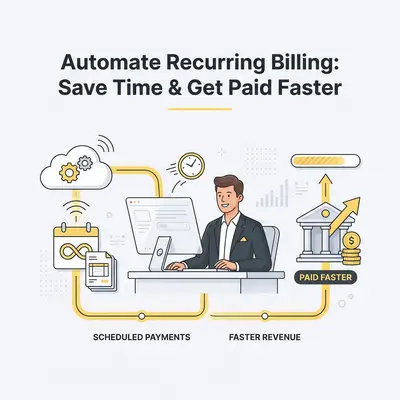
Manual billing is a bottleneck that drains your time and increases the risk of human error. When you rely on spreadsheets or manual invoicing, you lose hours every week on administrative tasks and risk delayed payments. Automating these processes ensures consistent cash flow, reduces late payments, and allows you to focus on scaling your business operations.

How does AI-driven recurring billing work?
AI-driven billing systems use intelligent algorithms to trigger invoices, track payment statuses, and initiate follow-ups without human intervention. Unlike static software, AI analyzes payment patterns to optimize billing cycles, predict potential churn, and personalize communication. This creates a "set-it-and-forget-it" ecosystem that keeps your revenue stream predictable and reliable.
Key Insight: Businesses that use personalized, automated reminders see a 30% faster payment turnaround compared to those using generic, manual invoices.
How can you automate your billing process in 7 steps?
Automating your billing requires a structured approach to ensure your customers remain satisfied while your cash flow improves. By integrating your CRM with an AI automation platform, you can eliminate manual data entry and ensure every invoice is accurate. Follow these steps to transition from manual invoicing to a fully automated, AI-powered billing system.
- Audit your current billing cycle: Identify every recurring service and the specific dates they are billed.
- Choose an integrated payment gateway: Select a processor that supports API connections with your automation tools.
- Map your customer data: Ensure your CRM contains accurate contact info and billing preferences for every client.
- Configure your AI triggers: Set specific rules for when invoices are generated and sent based on service milestones.
- Draft personalized reminder templates: Create a sequence of friendly, automated emails for upcoming and overdue payments.
- Implement automated reconciliation: Use AI to automatically match incoming payments to the correct invoice in your accounting software.
- Monitor and refine: Review monthly reports to identify and resolve any failed payment patterns.
Pro Tip: Use AI to analyze which days of the month your clients are most likely to pay, then schedule your automated invoices to hit their inbox on those specific days.
What are the common pitfalls to avoid when automating?
The most common mistake is "setting and forgetting" without proper oversight, which can lead to customer frustration if an error occurs. Over-automating without a human-in-the-loop approach can make your business feel cold or impersonal. To succeed, you must balance efficiency with clear communication channels for clients who have questions about their bills.
How do you handle failed payments with AI?
AI handles failed payments by automatically retrying cards at optimal intervals and sending gentle, automated notifications to the client. Instead of you manually chasing down a declined card, the system updates the client via email or SMS with a secure link to update their payment method. This reduces the awkwardness of collections and significantly improves your recovery rate.
![_ [GRAPH] Column chart. Before Automation - 45% Recovery Rate. After Automation - 82% Recovery Rate. Chart title: Failed Payment Recovery Success at top. Alt text: Column chart showing the increase in payment recovery rates after implementing AI-driven retry logic](/blogs/automate_recurring_billing/-graph-column-chart-before-automation-45-recovery.png)
How can you maintain a personal touch while automating?
You maintain a personal touch by using AI to inject dynamic fields into your emails, such as the client’s name, specific service details, and personalized thank-you notes. Automation doesn't mean robotic communication; it means sending the right message at the perfect time. By customizing your templates, you ensure that every automated interaction feels like a direct communication from your team.
Reality Check: Automation is a tool for efficiency, not a replacement for your brand voice. Always review your automated templates to ensure they sound like your team, not a generic bot.
Checklist: Your Automated Billing Readiness
- All recurring services are documented.
- Payment gateway is connected to your CRM.
- Email templates for reminders are drafted and approved.
- A "human-in-the-loop" review process is established for disputes.
- Test transaction completed successfully.
To get started, audit your current manual process today. Identify the single most time-consuming part of your billing cycle—usually the manual follow-up on late payments—and build your first automated trigger around that specific task. Once that is stable, expand your automation to cover the entire billing lifecycle.
Related Resources
- automate-client-onboarding-for-small-business — How to Automate Client Onboarding: 5 Steps to Save Time
- the-5-minute-test-to-see-if-your-business-process-can-be-automated — The 5-Minute Test to See if Your Business Process Can Be Automated
- ai-automation-benefits-small-business-marketing — 7 Ways AI Automation Transforms Small Business Marketing